


What you get
The blast report
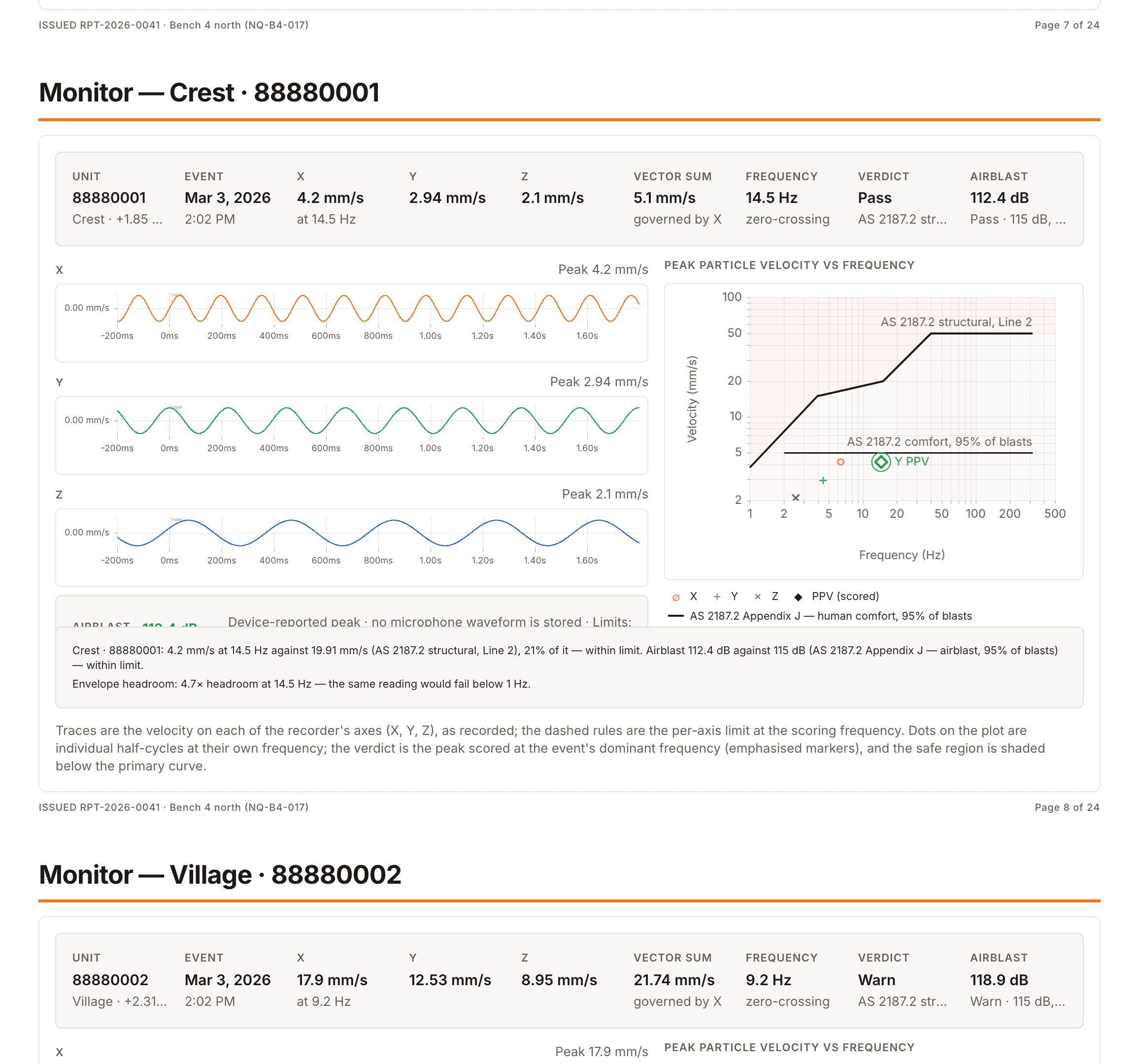
Issued from the same record: a page per monitor, results against your limits, a numbered version with its narrative, a PDF and a link to share.
How blast reports workShockAI puts what your ShotTrack units recorded beside the blast plan: every vibration and airblast reading scored against the standards you apply, the detonation read hole by hole, and a report that shows its working, whether a regulator, a client or a neighbour is asking.
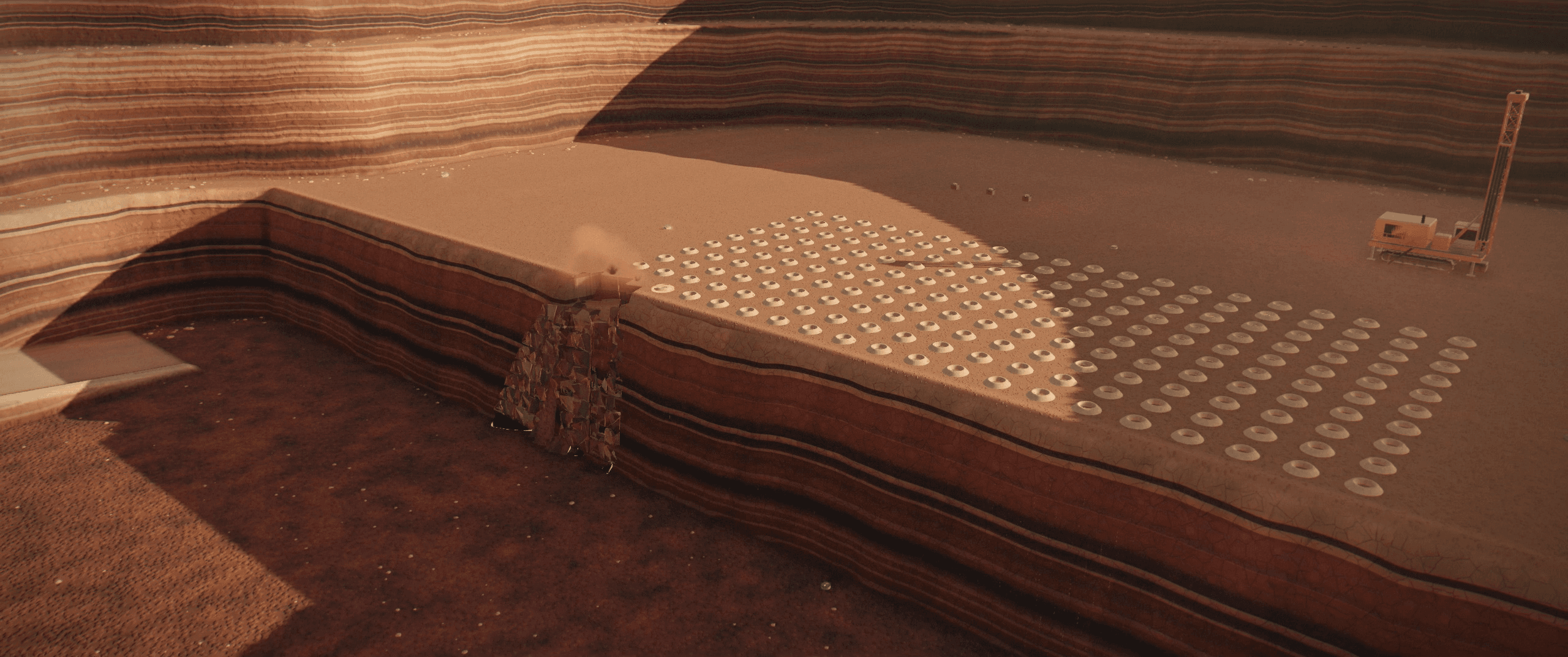
Rendered in the ShockAI Visualiser’s Cinematic tier, in ShockAI’s demo worlds: synthetic quarries.
A complaint from a neighbour, a hole that did not reach design VoD, a report due before the next shot: each needs the blast’s own record, read against its plan and its limits.
In ShockAI, each blast carries its plan, its holes as loaded, its firing times and every record taken around it. Three tools read that record from different sides.
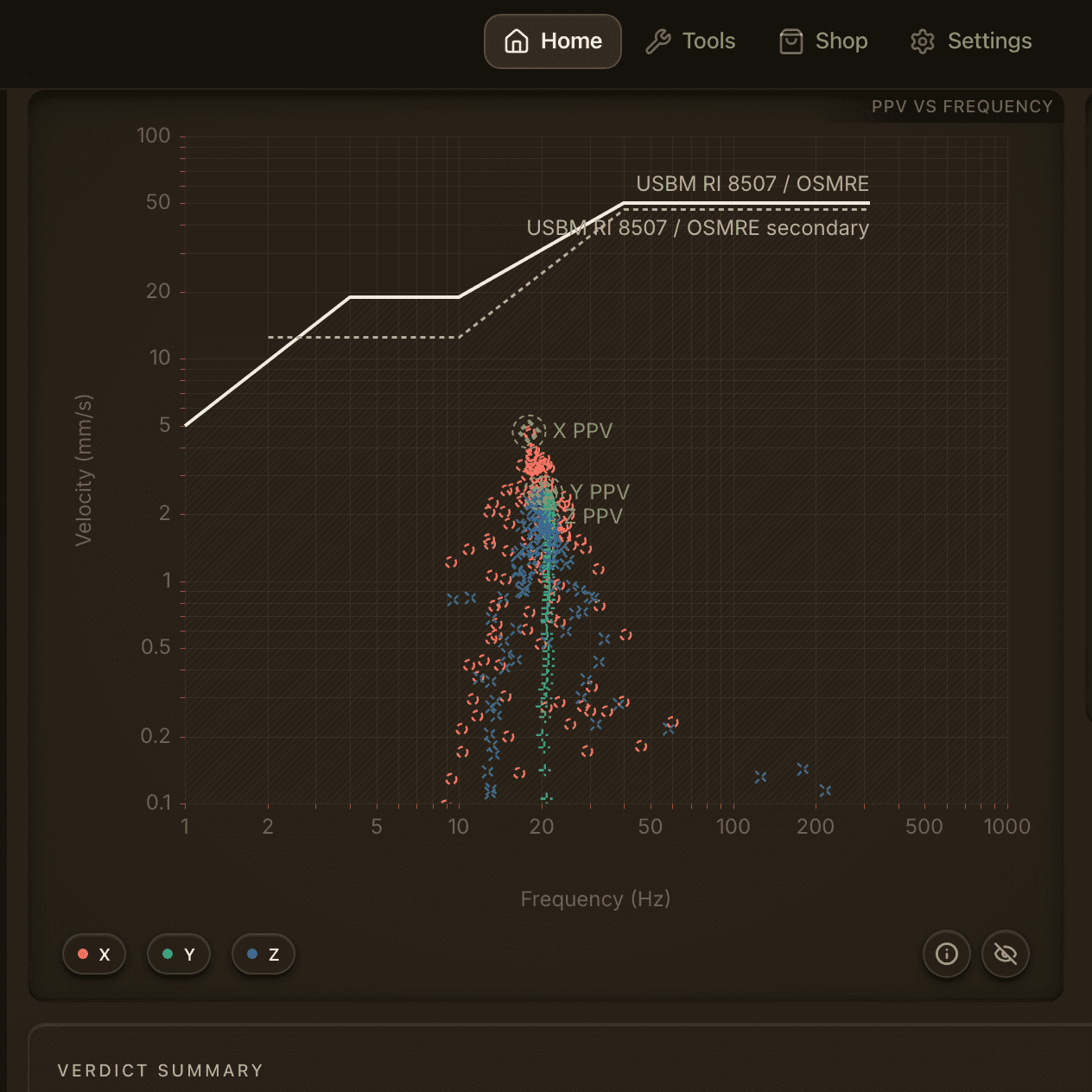
Open a vibration event and see peak velocity, frequency and airblast scored against the standards your project selected. The three axes, particle motion and the spectrum are a key away.
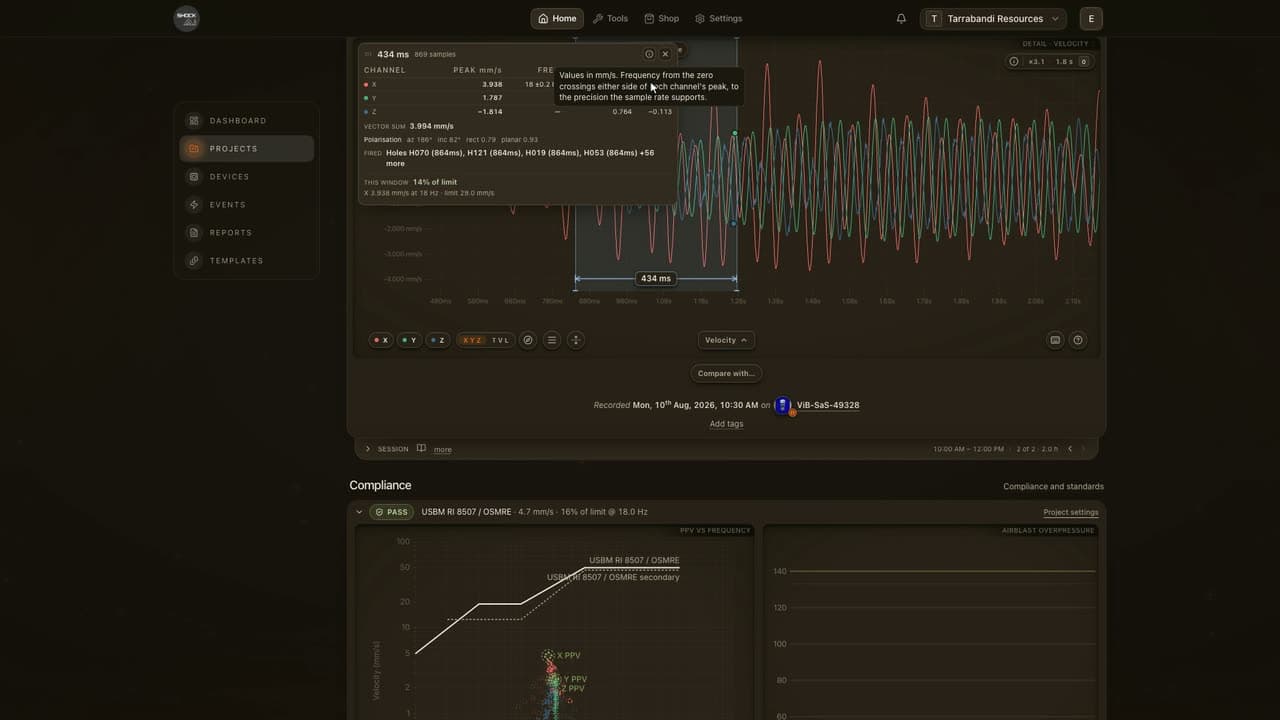
How big was the arrival, at what frequency?. Drag across it for the span’s duration and each channel’s peak, frequency and RMS.
Which way did the ground move?. Three channels become one path. Turn it until the first push lines up with the blast.
How close did each limit come?. Every limit your project applies, the reading it governs, how much of it you used, and the verdict.
Everything on one screen. Press F: traces on the left, compliance on the right, nothing to scroll.
The VoD Analyser turns the cable trace into holes, zones and cuts, shows VoD sample by sample, and checks each zone against its hole and its plan.
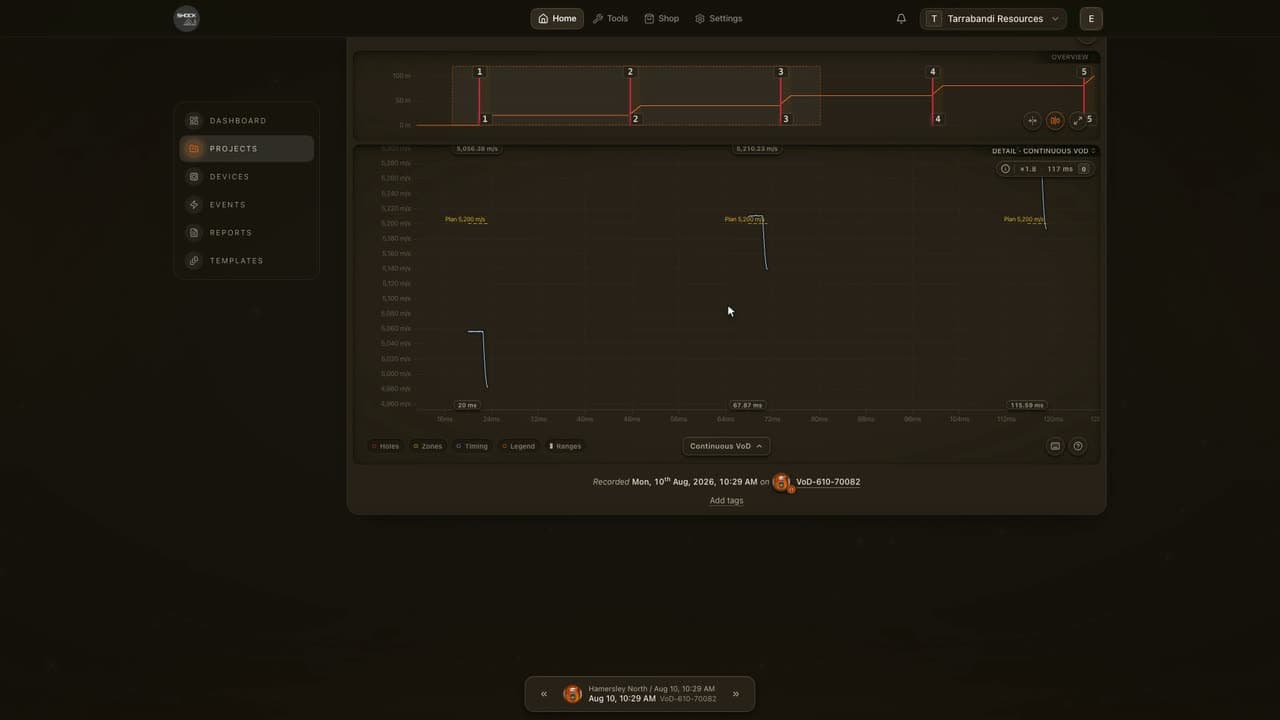
Did the front reach design VoD?. Continuous VoD against the planned line, segmented VoD zone by zone, and the raw cable length: three reads of one trace.
Did every hole fire on time?. Lay each hole’s planned firing time over the trace and see where every cut landed.
Which hole’s toe stands out?. Read the same stretch of every hole side by side. Anything more than a tenth from its range’s mean is flagged.
Review the whole shot in full screen. Traces on the left, a card per zone on the right, and a well that reads what you focus.
The Visualiser builds the shot in 3D from your plan and your records, in three looks. Play the firing back, lay the timing on the ground, follow the front up every recorded column, and see where the rock went and what it strained.
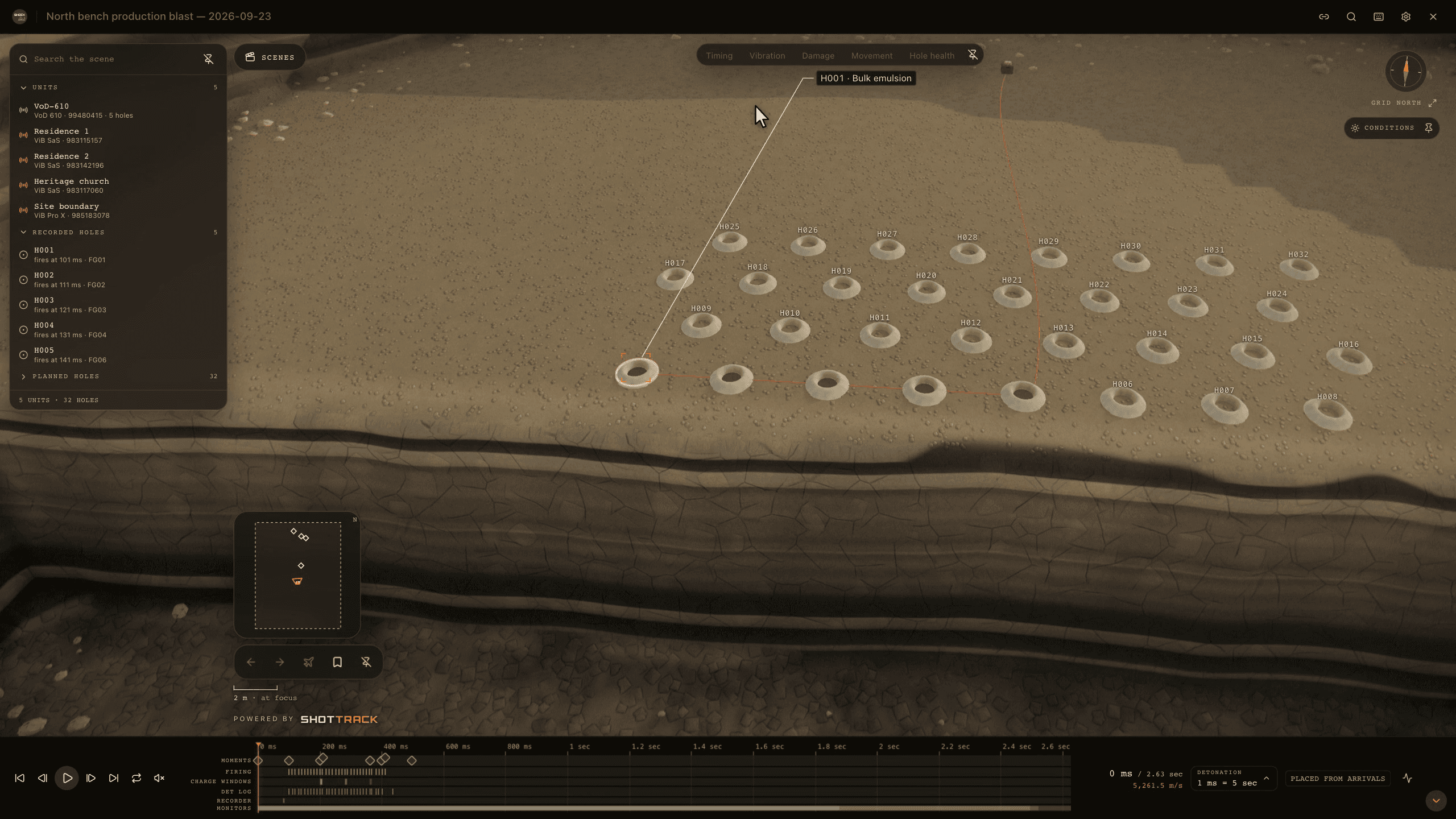
One blast, three looks. Site, the ground as scanned under the sun; Drafted, ink on dark paper; Schematic, a sheet to read and export. One key between them.
What happened, instant by instant?. Holes flash as they fire, the front runs down each recorded column, and the traces play with it. Scrub back to any instant.
How did the timing run across the bench?. Firing times as contours, the firing order drawn as each hole fires, the charge per delay through the ground, and the det log against the plan.
Where did the rock go?. A movement model’s answer, drawn over the blast: the burden thrown off the free face and coming to rest.
How far back did the damage reach?. The strain the blast left in the bench, as the damage lens draws it, fitted to the post-blast scan.
Two of ShockAI’s demo worlds in under three minutes: Messmate Hill, a small quarry half a kilometre from the town it has to keep safe, and Hamersley North, a two-hundred-hole production bench. The Visualiser’s three looks, its timing on the ground, the monitors around the shot, the recorded columns, and both blasts played back.
 2:44Cinematic tierWith music
Rendered frame by frame in the ShockAI Visualiser’s Cinematic tier. Both worlds are synthetic: no blast, town or reading in the film is real.
Music: Edvard Grieg, In the Hall of the Mountain King · Czech National Symphony Orchestra · Musopen (public domain)
Record with ShotTrack units, bring in your own seismographs, and every reading lands on its blast. The report is built from the same record.
Issued from the same record: a page per monitor, results against your limits, a numbered version with its narrative, a PDF and a link to share.
How blast reports work 01RecordShotTrack VoD and ViB units record the shot. Import your own seismographs’ exports beside them.
 02SendWeb Sync sends a unit’s recordings to the project over Bluetooth, from Chrome or Edge. Nothing to install.Coming soonThe ShockAI Sync app and the RaC site hub are coming.
 03ReadEach record lands on its blast, beside the plan and the firing times, ready in the analysers and the Visualiser.
Hold a key and say what you want: a lens, a look, a hole, a monitor, play. The command runs from your words as soon as they are heard, the same command a key or the palette runs. Ask about the blast on screen and ShockAI answers from its record, spoken back.
Audio goes from your browser to the speech service and is never stored. Names stay in your browser: a spoken reply names the unit, not your site. A question sees an anonymised summary of the blast on screen, no names, notes, serials or coordinates, and needs the ShockAI Assistant switched on for your team and your agreement. Chats are not stored.
How Voice and the assistant workYour team already has models it trusts: constants in a spreadsheet, a formula, a service your developers run. Bring them to ShockAI. They run on the same case as ours, answer with a P50 and a P95, and sit beside what each blast actually measured.
Your site law or airblast law, with the constants you fitted. Enter them once; they run on every blast.
Type the equation your team uses. It runs as written and reads as an equation, not a black box.
The spreadsheet your engineers trust, turned into a model the platform runs.
Any model, in any language, on a server you control. We keep its address, its manifest, its public keys and its answers. Never the model.
Tune how a recording becomes velocity, on a real or simulated record. Save it as your team’s recipe and run it beside the platform standard.
shockai/site-law@3.0.0sha256:a39b9b68…343cOur site-law model on the published example: a 32-hole bench with 4 receivers. R4 sits beyond the fitted range, so its answer says so.
| Receiver | Scaled distance | P50 (mm/s) | P95 (mm/s) | Validity |
|---|---|---|---|---|
| R1 | 14 | 16.4 | 28.4 | Within |
| R2 | 23 | 7.8 | 13.2 | Within |
| R3 | 38 | 3.4 | 5.9 | Within |
| R4 | 55 | 1.9 | 3.3 | Extrapolated |
R4: at most 444 kg per delay keeps its P95 under 5 mm/s.
One published contract carries every model on the platform, ours included: typed documents, signed requests, a conformance suite and real payloads to test your code against today.
Your manifest names the inputs your model reads. Everything else is stripped before the case is sent, and the case id is re-hashed over what’s left.
A model that can’t answer says why: missing input, outside validity, not supported. Leaving a question out isn’t an answer.
A case id is the SHA-256 of its canonical JSON, so a result is cached, cited and reproducible from its case alone.
Our 7 reference models pass the same suite on every change.
{
  "specVersion": "0.1",
  "id": "shockai/site-law",
  "version": "3.0.0",
  "name": "Site law",
  "vendor": {
    "name": "ShockAI",
    "url": "https://app.shockai.co"
  },
  "method": "empirical",
  "capabilities": [
    {
      "output": "receiver_ppv",
      "inputs": {
        "required": [
          "receivers",
          "calibration.siteLaw"
        ],
        "requiredAnyOf": [
          [
            "design.maxInstantaneousCharge",
            "design.holes"
          ]
        ],
        "optional": []
      },
      "validity": {
        "scaledDistance": {
          "min": 2
        }
      }
    },
    {
      "output": "max_charge",
      "inputs": {
        "required": [
          "receivers",
          "calibration.siteLaw"
        ],
        "requiredAnyOf": [],
        "optional": []
      },
      "validity": {
        "scaledDistance": {
          "min": 2
        }
      }
    }
  ],
  "execution": {
    "mode": "sync",
    "typicalSeconds": 0.2,
    "maxSeconds": 30
  },
  "pricing": {
    "model": "included"
  },
  "dataHandling": {
    "regions": [
      "au"
    ],
    "retention": "none",
    "trainsOnCustomerData": false
  },
  "documentationUrl": "https://app.shockai.co/developers/concepts"
}
Real payloads, shortened: our site-law model’s published manifest and its answer to the example case.
Work with ShockAI and ShotTrack on how blasts are measured and predicted. You bring the question. We bring field instruments, the measured record of real blasts and engineers who fire them for a living.
Building a prediction model? Write it to the Model API, the contract our own models run on. See the Model API
ShockAI reads what ShotTrack VoD and ViB units record. Specifications, pricing and quotes live on the ShotTrack site.
 Velocity of DetonationShotTrack VoD Devices
 Vibration & SeismicShotTrack ViB Devices
 Remote AccessShotTrack RaCComing soon
The instruments in the field, from ShotTrack.
We’re working with a small group of mining and construction teams on real blasts before a wider release. Tell us about your sites, instruments and reports, and we’ll be in touch about access.
In the closed beta