
Blasts and events
A blast is one shot; an event is one recording of it. The blast page keeps the plan, the monitors and the results together and turns a ready blast into a report.
A blast is the work a project does; an event is one recording of it. The platform links the two for you, keeps the plan and the monitors beside the results, and turns a ready blast into a report.
Find a blast
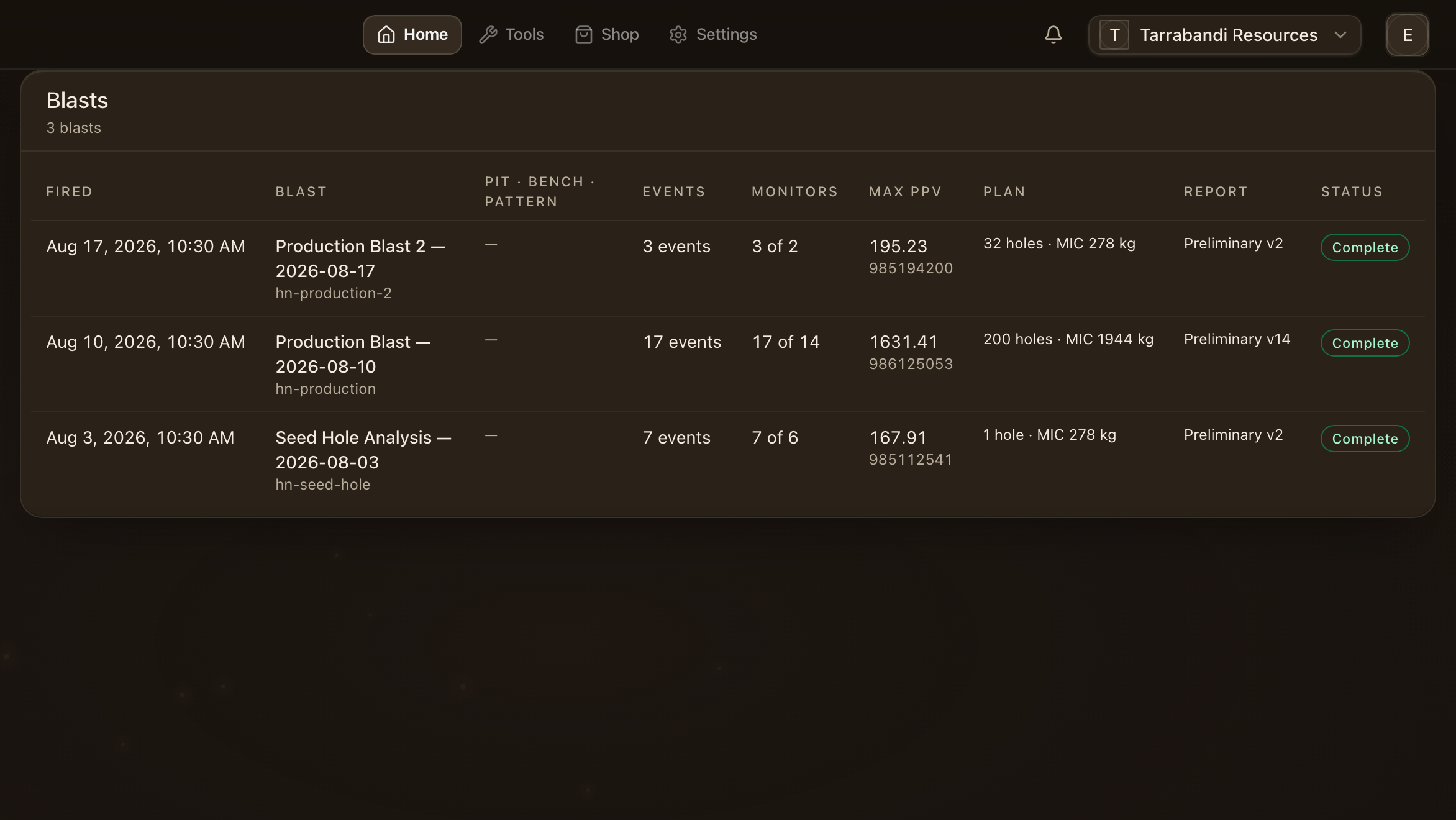
Blasts lists every shot the project knows about, newest first, with its readiness and its verdict once the analysis is in. Events the matcher could not place wait in the inbox at the top: confirm the suggestion, attach the event to another blast, or create a blast from it.
Open a blast
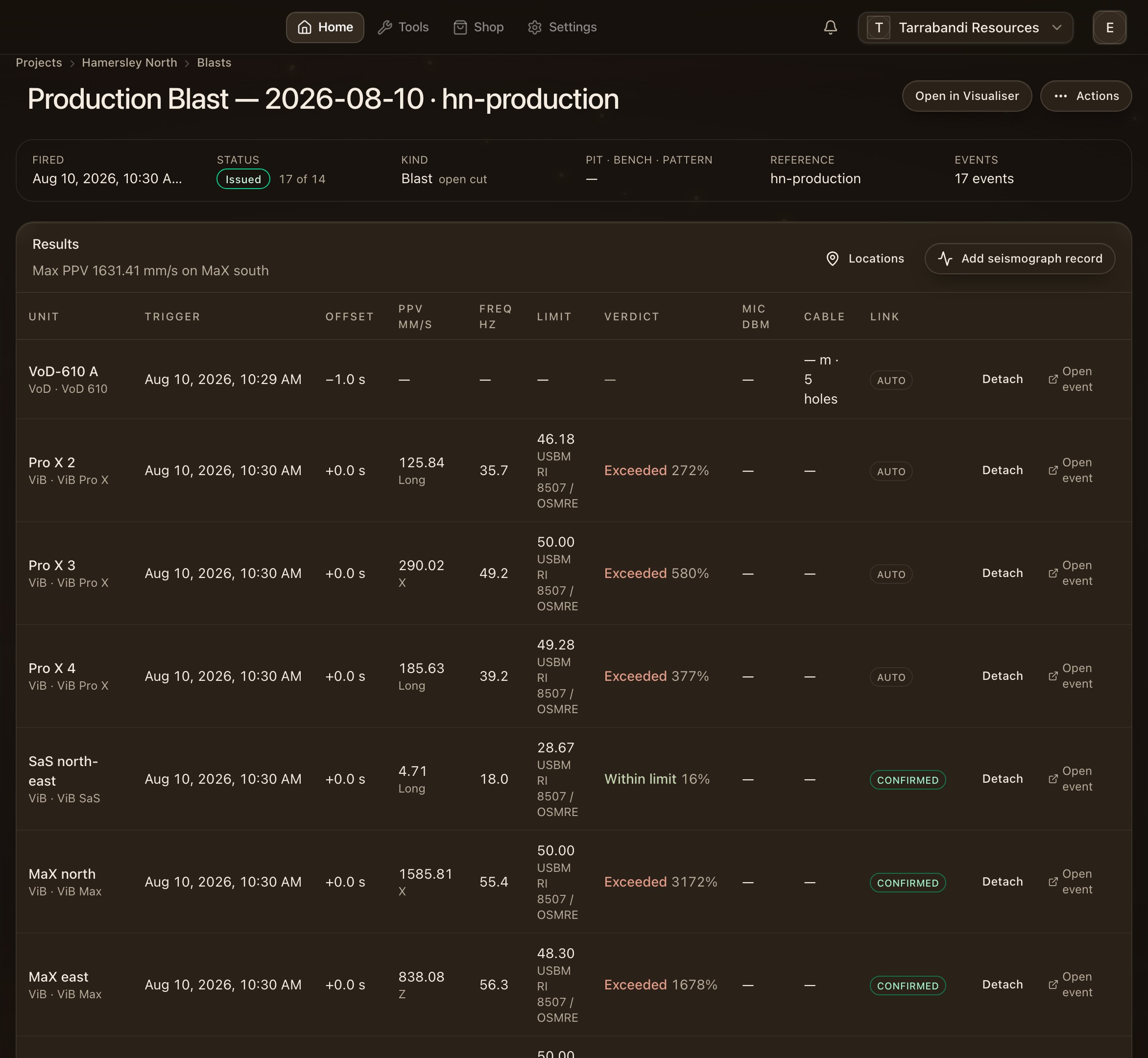
A blast page gathers everything about one shot: the facts, the monitors that were expected to record it, the plan, the results from every unit, and the report that goes out.
Read the facts

The facts card carries the reference, the name, when the shot fired and what kind of shot it was. The fired-at time is what every event is matched against: an event inside the project's match window is suggested for the blast, and a confirmed link counts towards its readiness.
Check the monitors
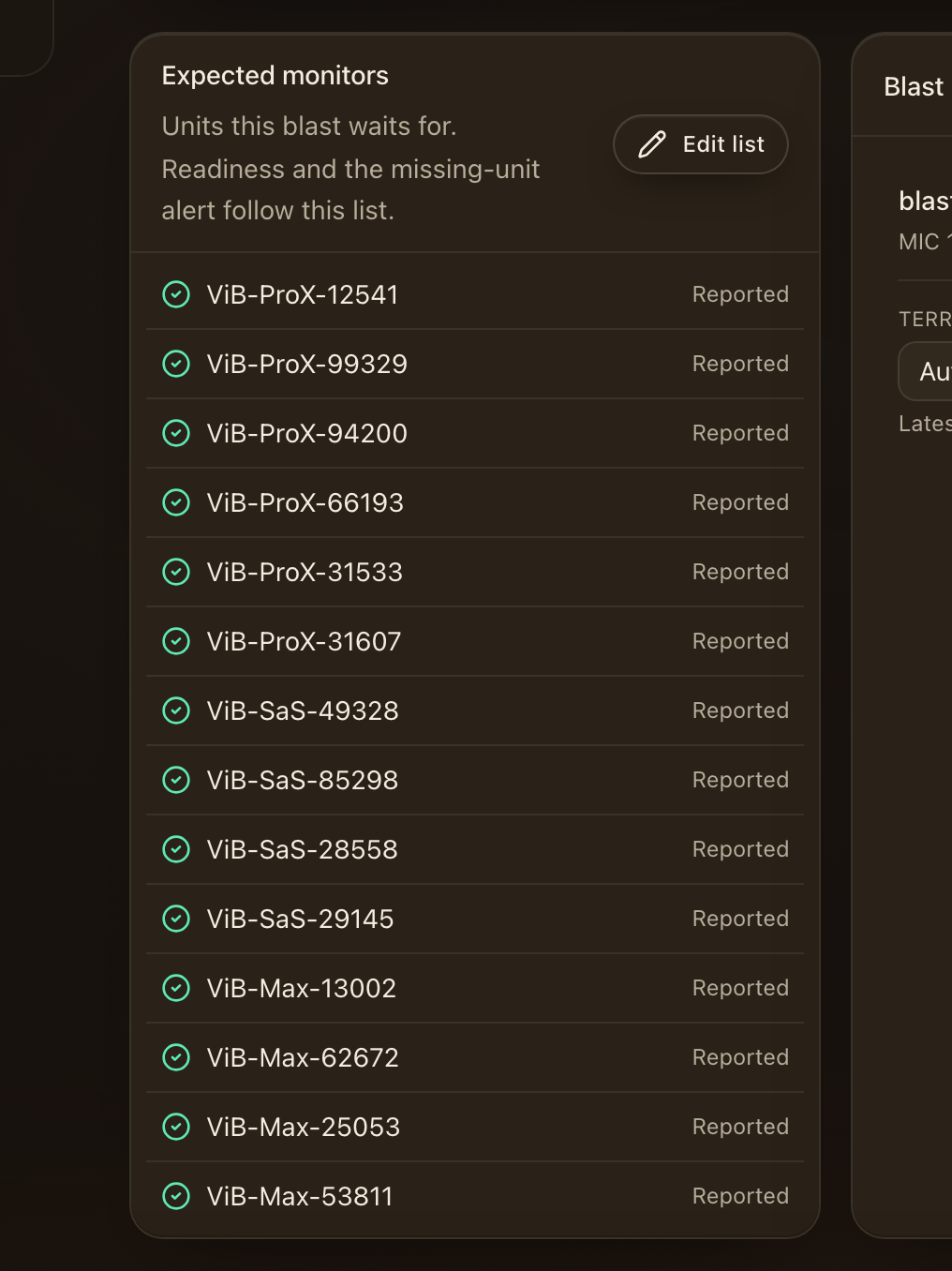
Expected monitors says which units should have recorded the shot and which did. A missing one keeps the blast from being ready, so the gap is visible before anyone asks for the report.
See the plan
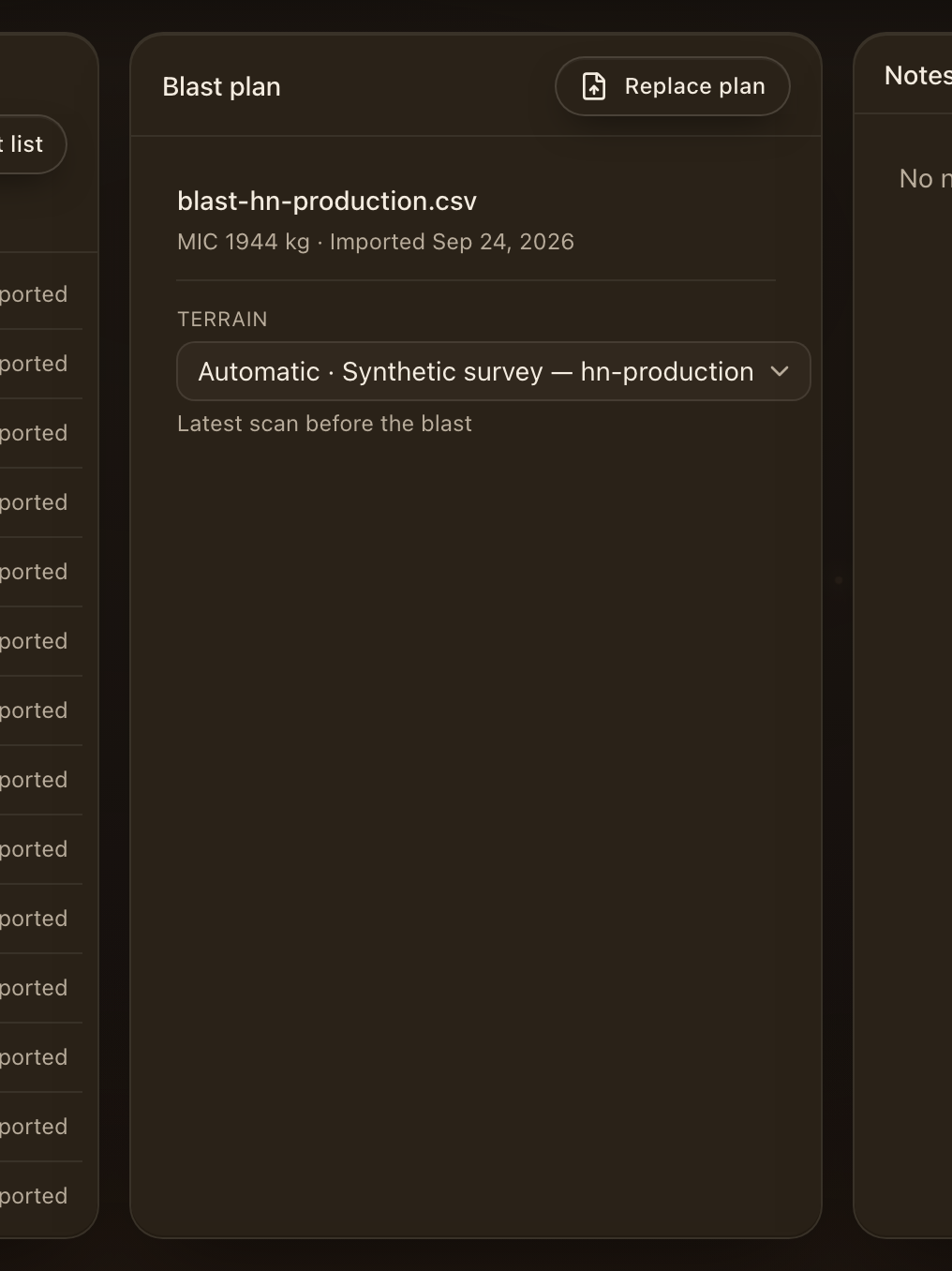
The plan panel is the design as imported: holes, charges and firing times. The analysers, the visualiser and the report all read from it. Import or replace a plan from here; the import walk is the same one the VoD Analyser offers.
Read the results
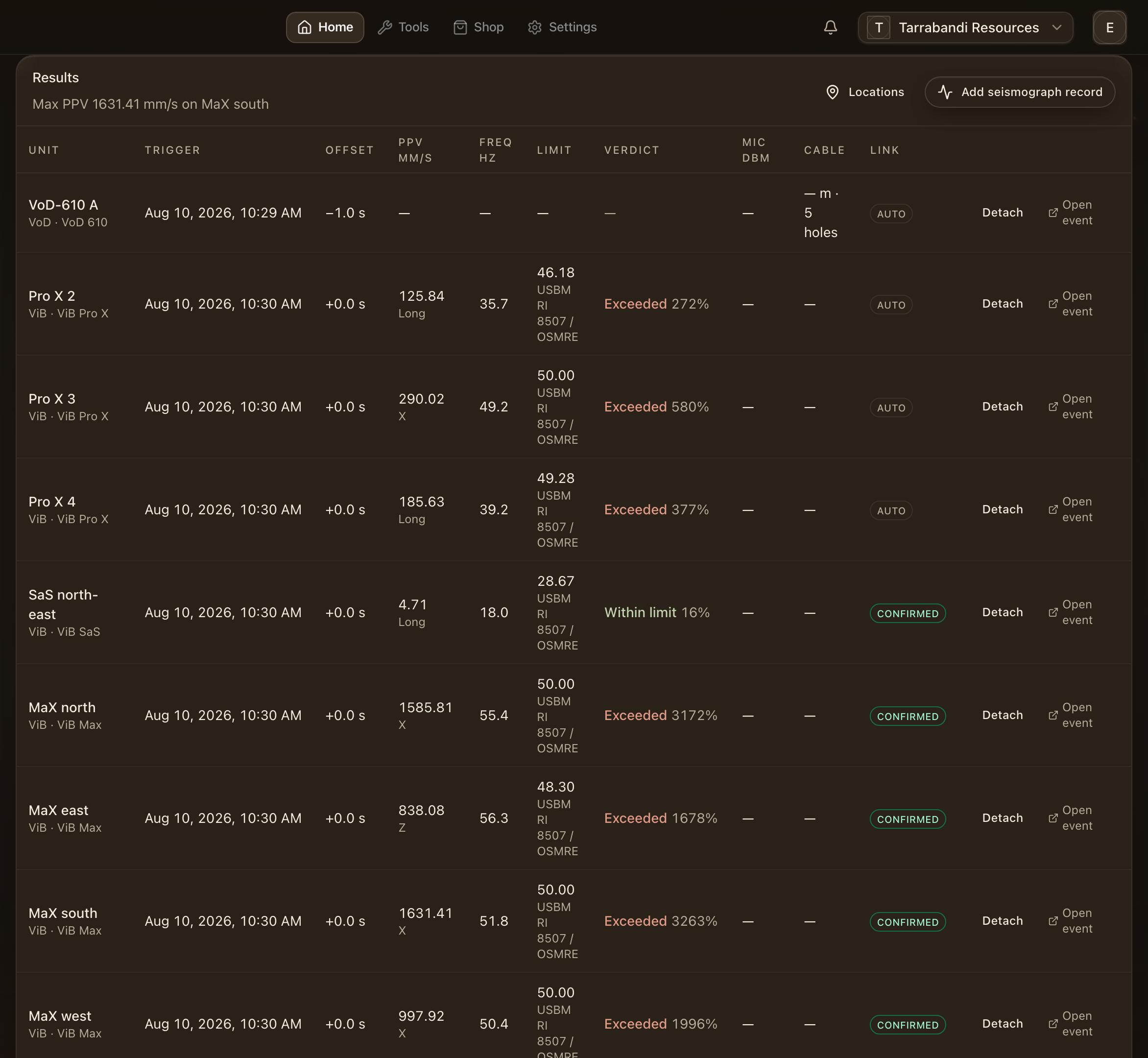
Results lists every event linked to the shot with its peak, its frequency and its verdict against the project's limits. Open any row in its analyser. Records from your own seismographs sit under the units, and Add seismograph record attaches one: see Seismograph records.
Open the visualiser
Open in visualiser puts the shot in three dimensions: the pattern, the monitors and the recorded velocities on the bench itself. See the VoD Visualiser.
Browse the events
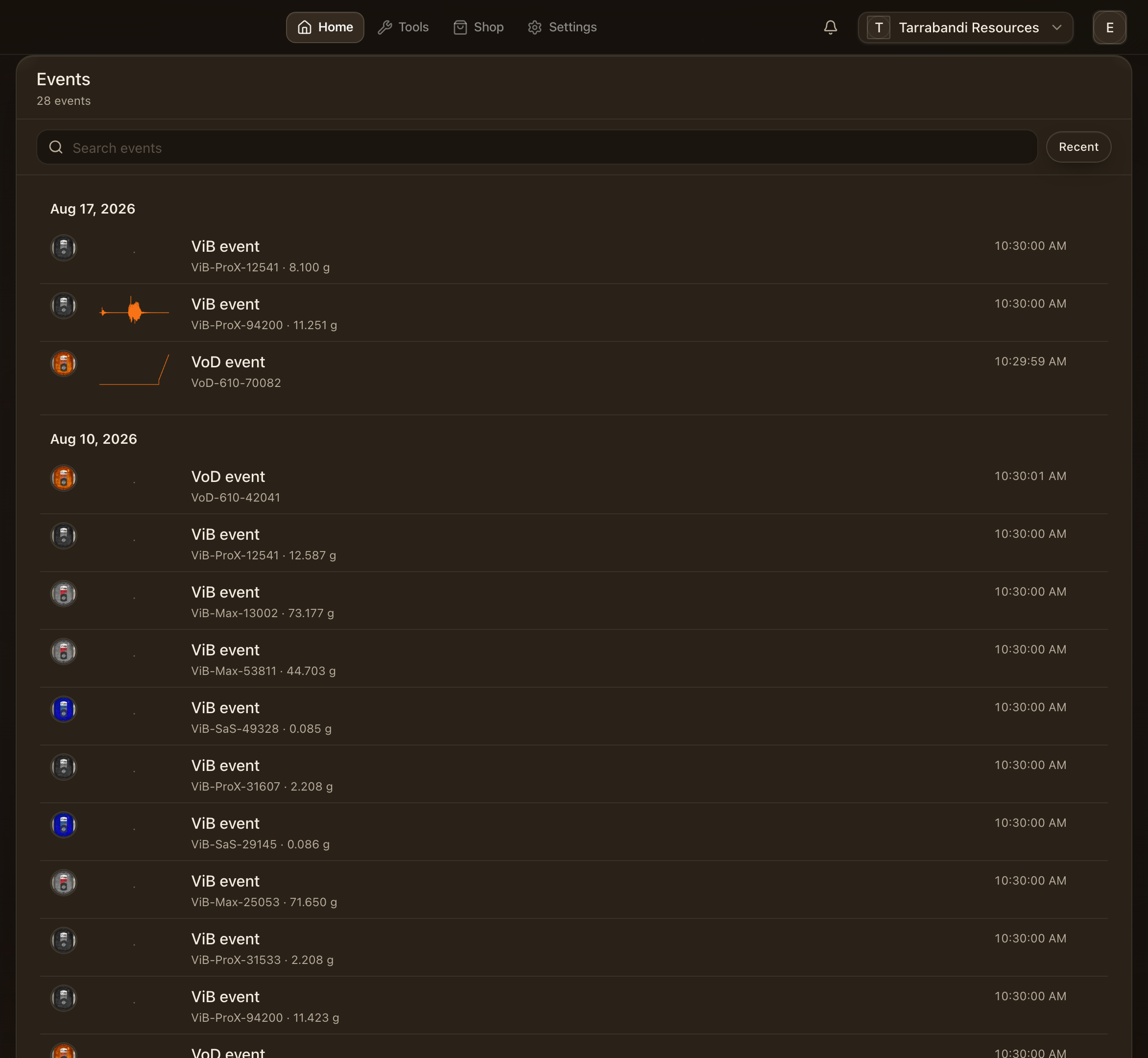
Events lists every recording in the project, newest first, with the blast each one is linked to. Filter by unit or day, or open one straight into its analyser.
Open an event
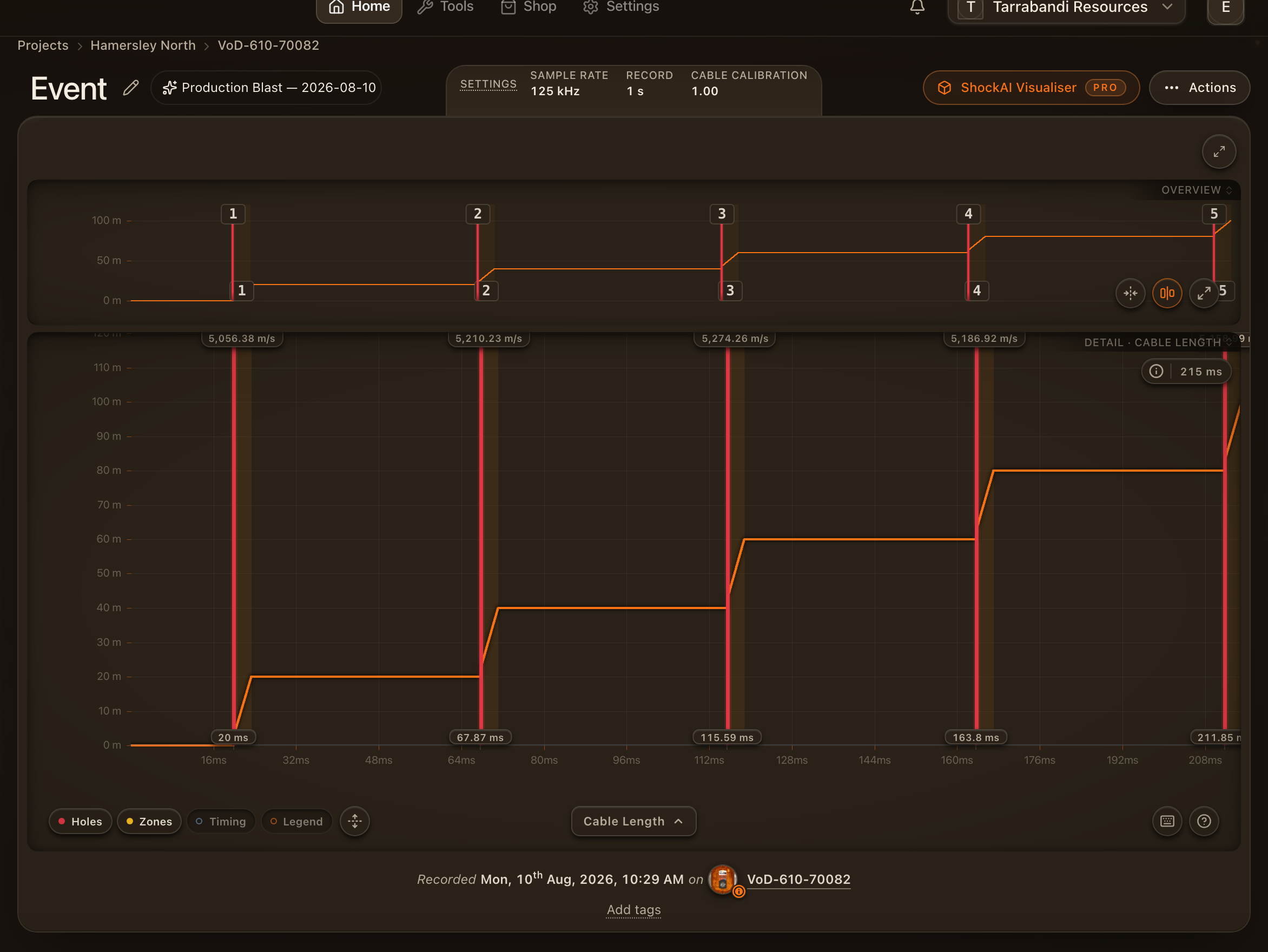
An event page is one recording: which unit, which session and which blast it belongs to, its headline figures, and the analyser that opens it. A ViB event opens straight into the ViB Analyser; a VoD event shows its detail page first, with the VoD Analyser a click away.
Where to go next
- Project overview — the page a project opens on.
- ViB Analyser and VoD Analyser — reading the recordings.
- Compliance and standards — how a verdict is reached.
- Seismograph records — your own seismographs beside the units.