
VoD Visualiser
Replay a shot in three dimensions: the drill pattern, every charged deck, the recorder and the monitors, with the detonation front animated along the timeline.
The ShockAI Visualiser builds a three-dimensional scene of a blast from the blast plan and the recordings attached to it: the drill pattern, each hole's decks and stemming, the VoD recorder, and every ViB monitor at its measured position. Open it with the orange ShockAI Visualiser button on an event that has a blast plan, or with Open in visualiser on the blast.
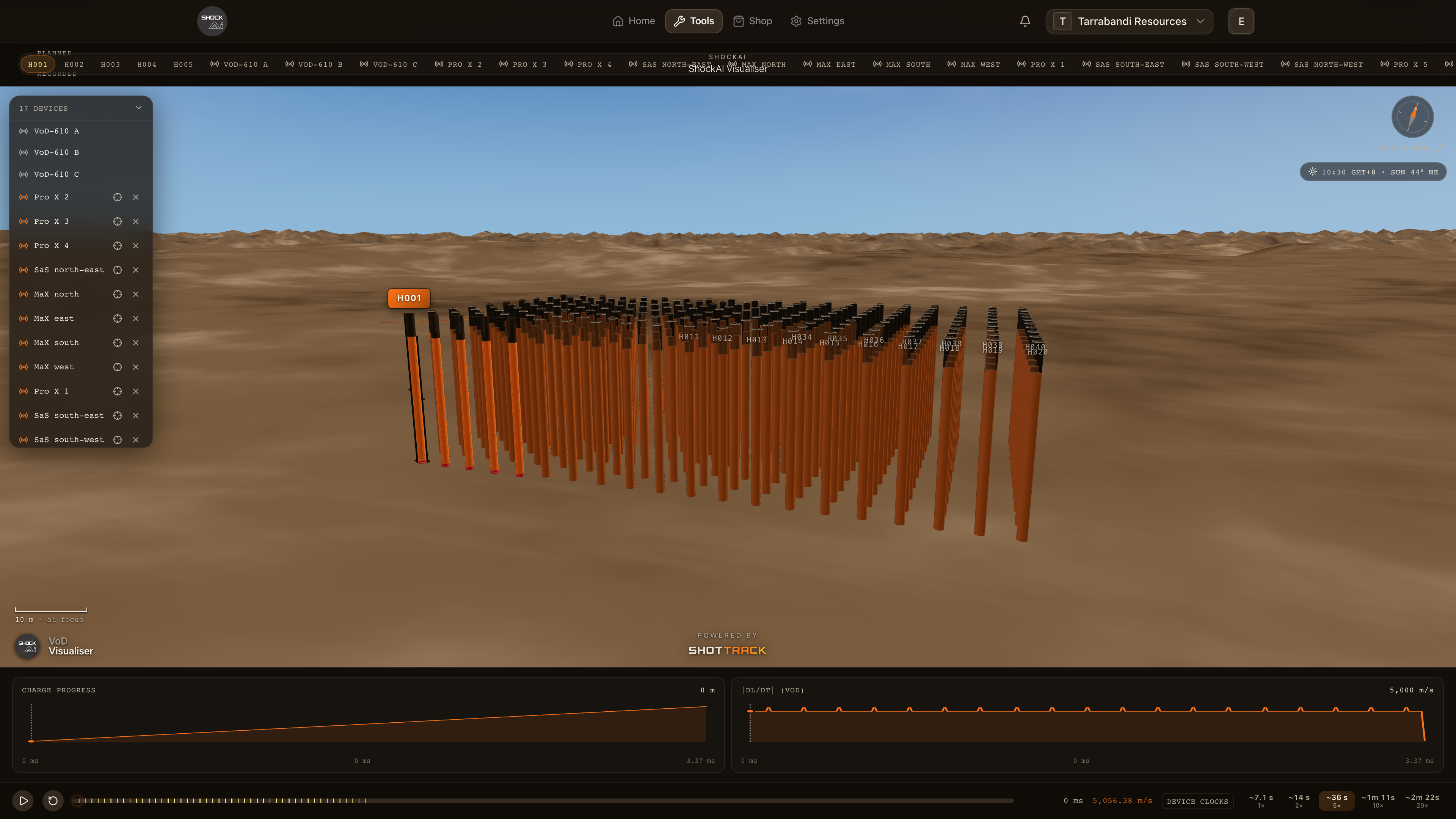
Moving around
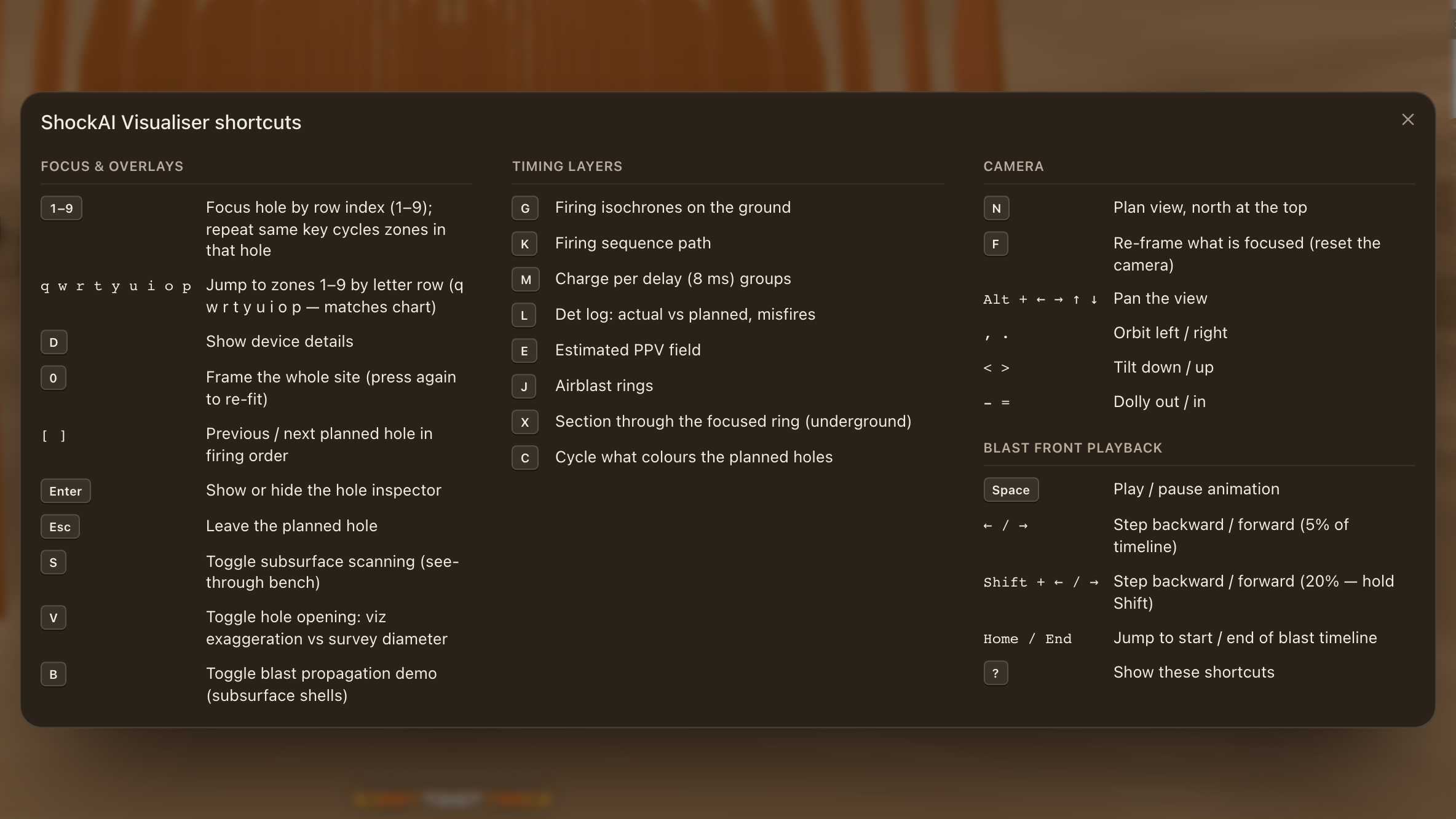
Orbit with the mouse, zoom with the wheel or a pinch, and use the camera controls in the chrome to jump to a preset view. Focus follows the same keys as the analyser: 1 to 9 focus a hole by row and step through its zones; Q W R T Y U I O P jump to zones 1 to 9.
Seeing inside the bench
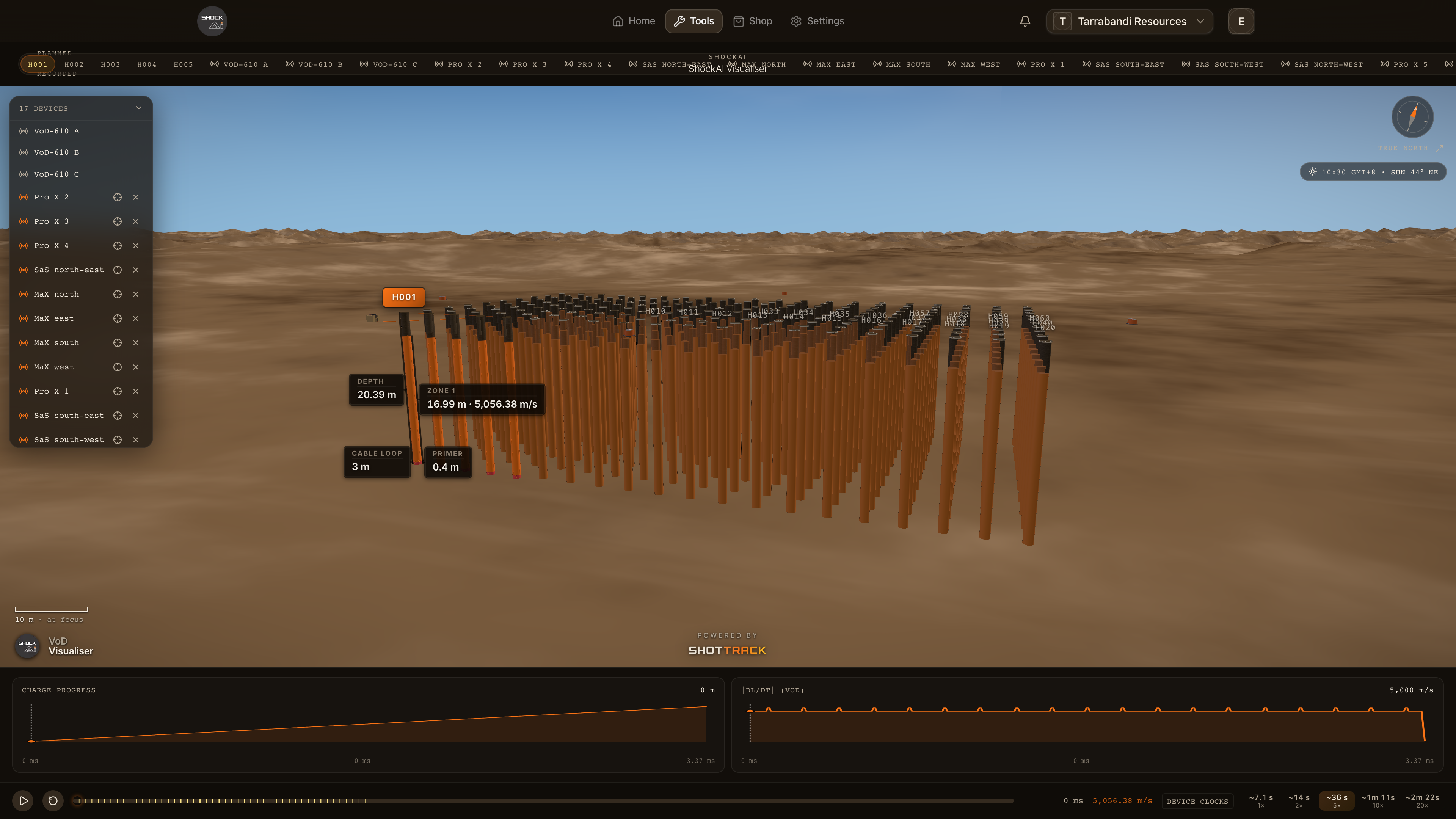
- Subsurface scanning, or
S, toggles the bench between what the eye sees (collars on the surface) and see-through, where the charge columns, the decks and the stemming show below grade. The scene opens see-through. - Hole opening toggles between an exaggerated opening you can read at a distance and the surveyed diameter.
- Device details shows the recorder or monitor a hole or position belongs to.
- The blast propagation demo draws expanding subsurface shells from each initiation for a sense of how the shot developed.
Playing the blast
The timeline at the bottom animates the detonation front through the shot. Play and pause it, step backwards and forwards by 5 % of the timeline (20 % with Shift), or jump to the start and end. Press ? for the visualiser's own shortcuts sheet.
The Visualiser is part of the Pro plans; on other plans the button explains what it offers.