
Adding a seismograph record
The import walk screen by screen: the export and its report, which column is which, the instrument, where it stood and what stood beside it, and the check before you import. Then the summary-only path and editing.
On a blast, press Add seismograph record. The walk asks one thing per screen and shows where it is going in the row of steps at the top; click an earlier step to go back to it. Nothing is saved until you press Import on the last screen.
You need edit rights on the project to add a record. The walk loads the blast, its units, the project's saved locations and your remembered instruments before it asks anything; if that fails, it says so and offers Try again.
The file
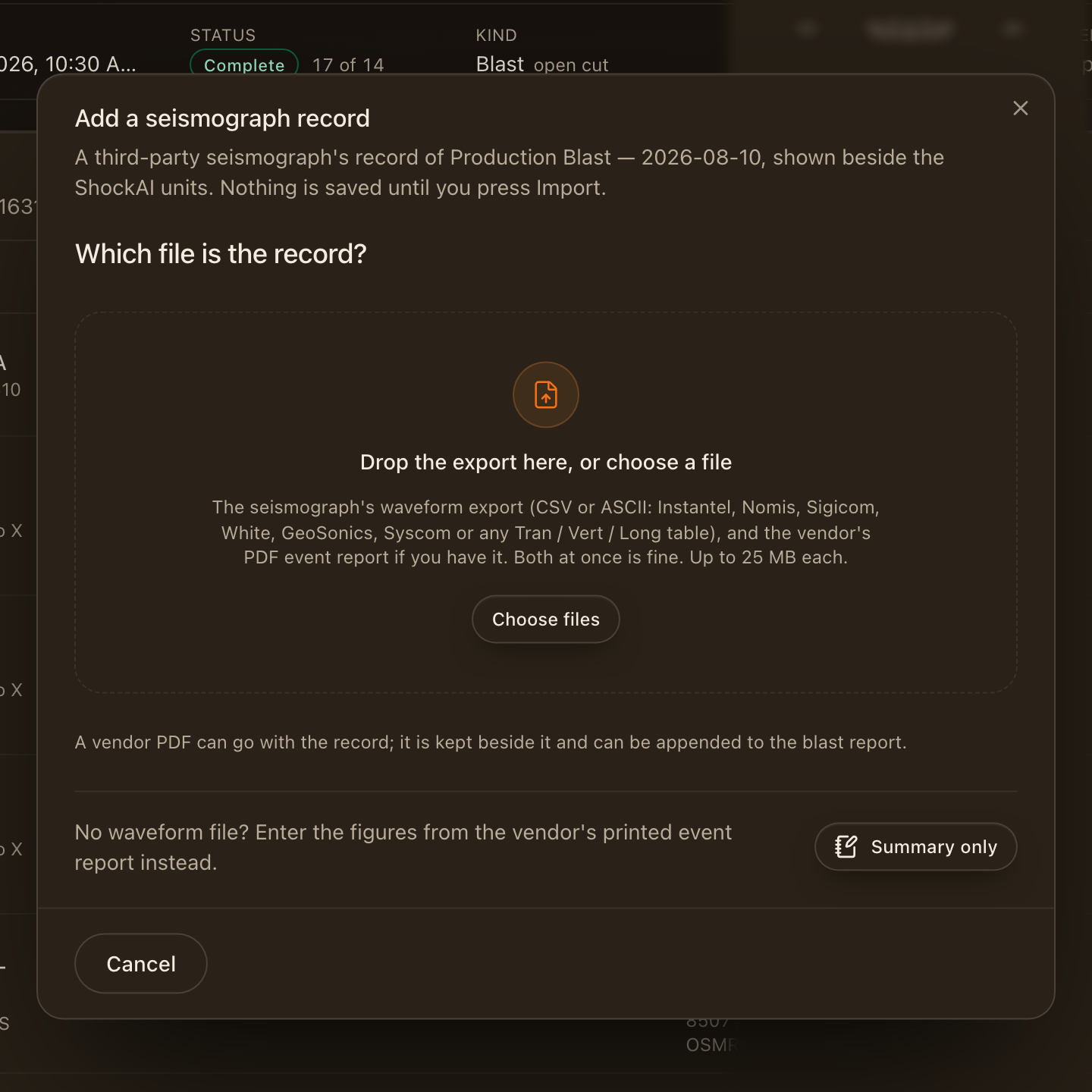
Drop the export your seismograph's software writes, the CSV or ASCII text file of the event's waveform, or choose it. If you have the vendor's PDF event report, drop it too, at the same time or after; it is kept with the record and can be appended to the blast report. Each file can be up to 25 MB.
The walk reads the file as soon as it lands: it recognises the maker from the words in the file, finds the block of samples, and reads what the file says about itself (serial, trigger time, sample rate, units, and the peaks the instrument printed). Supported exports lists the makers and what to do when a file does not read.
No export to hand? Choose Summary only and type the figures from the printed report instead (see Summary only).
Which column is which
A file that names its channels, as most exports do, skips this screen; Columns stays in the row of steps, so you can still open it to check or change what was read. A file that does not name them gets it: a Syscom export's channels are X, Y and Z, for example, and only you know which of them was aimed at the blast.
- Channels: choose the column for Tran, Vert and Long, and for the microphone and the time if the file has them. The first few values of each column are shown under it.
- Units and clock: the velocity unit, the microphone's unit, and the time column's unit. With no time column, give the sample rate and the pre-trigger instead.
- What the file reads as: the three traces and their peaks, re-read every time you change a column, so a wrong choice shows at once.
The instrument
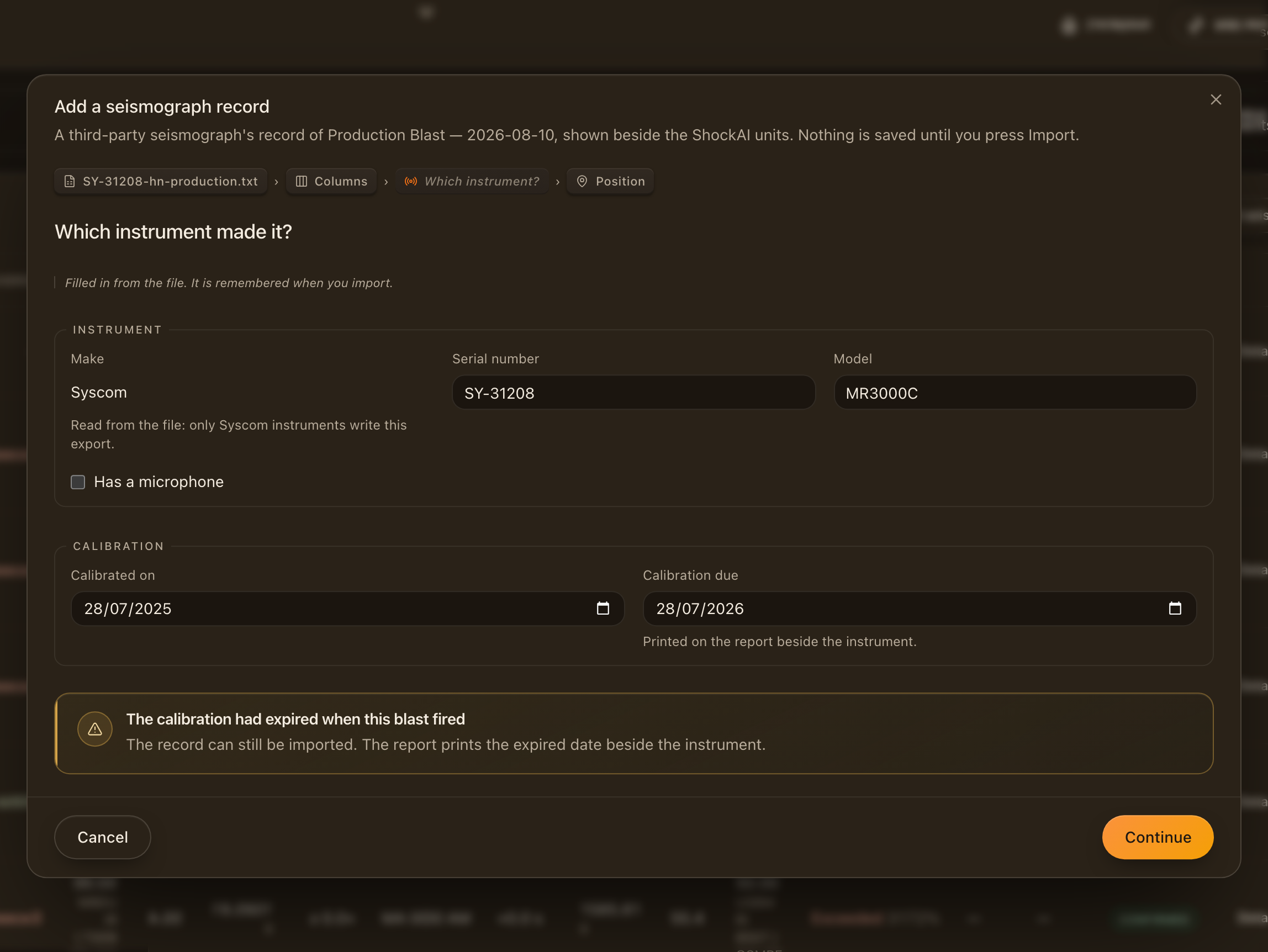
The make and serial come from the file where it says them; a file in a maker's own layout fixes the make. Add what it does not say: usually the model, and the calibration dates from the certificate. Calibration due prints on the report beside the instrument.
A calibration that had expired when the blast fired is flagged here. The record can still be imported, and the report prints the expired date beside the instrument, so a reader sees it.
Every instrument is remembered with your account when you import (see Instruments used before).
Where it stood
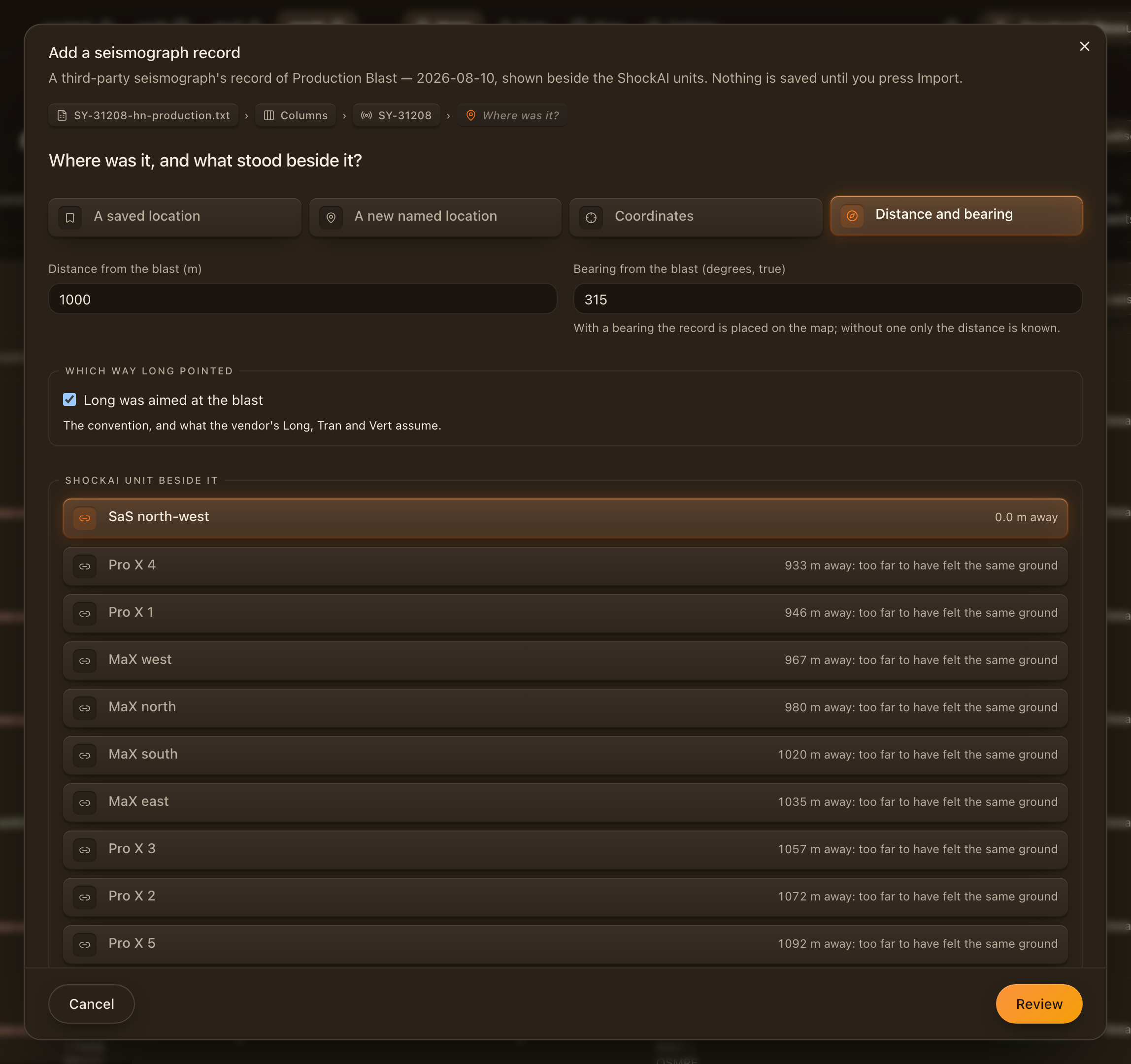
Say where the seismograph stood, one of four ways:
- A saved location: a place the project already uses. Offered when the project has saved places.
- A new named location: a name, a kind (residence, structure, boundary, infrastructure or other), and coordinates if you have them. It is saved for the next record at the same place.
- Coordinates: latitude and longitude, from a GPS or a map.
- Distance and bearing: how far from the blast, and the bearing (degrees, true). With a bearing the record is placed on the map; without one only the distance is known.
Then say which way Long pointed. Long was aimed at the blast is the convention, and what the vendor's Long, Tran and Vert assume. If it was set on a fixed heading instead, clear the box and type the heading Long pointed at.
The unit beside it
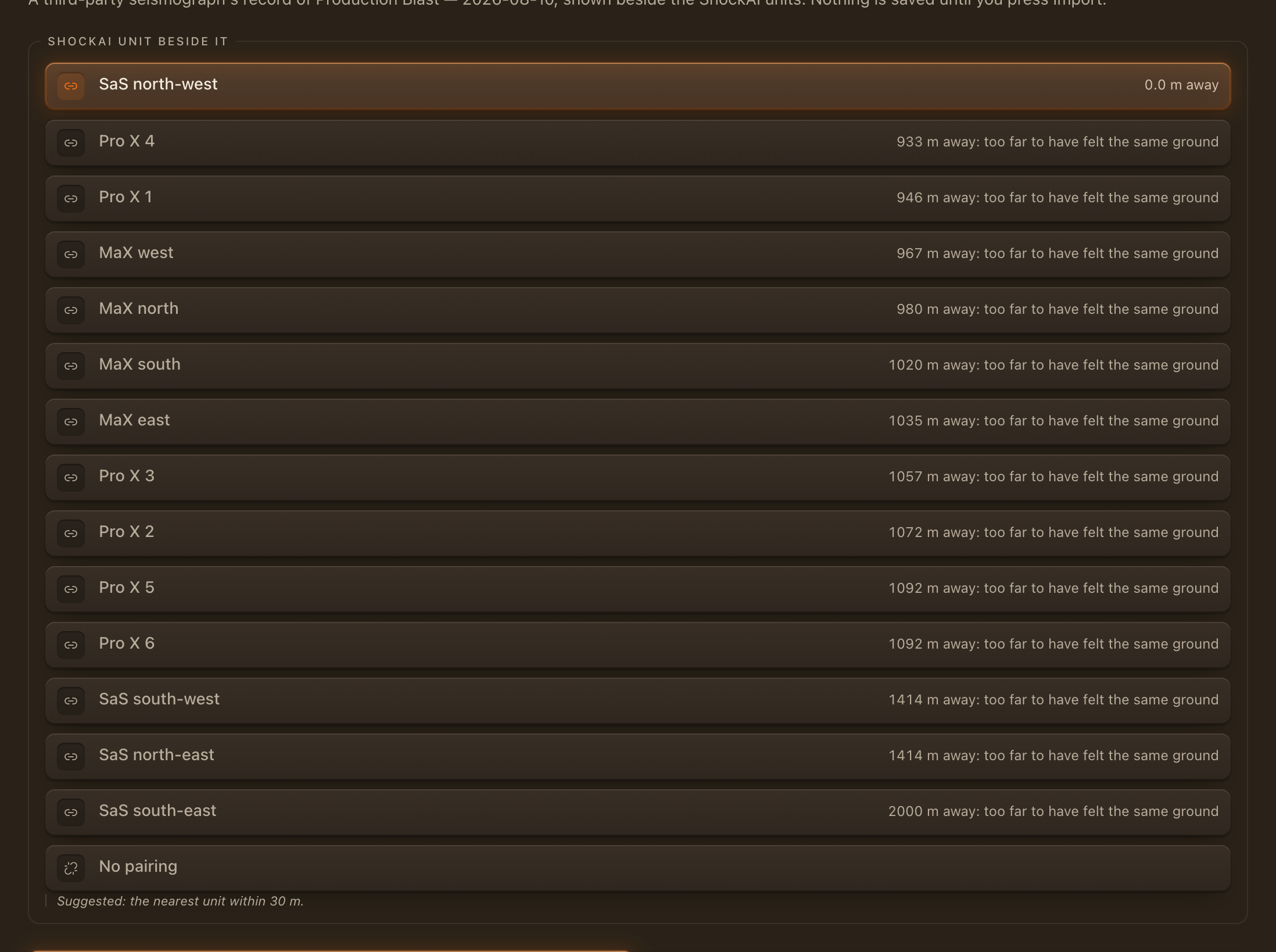
ShockAI unit beside it lists the vibration units that recorded this blast, nearest first. When you have said where the seismograph stood, the unit within 30 m of it is chosen for you as its pair. Choose another, or No pairing for a record that stands on its own.
Pair a record only with a unit that felt the same ground: beside it, not merely on the same blast. A paired record is lined up with the unit in time and compared with it in the analyser and in the report.
Does it count

A Reference, the default, is shown and compared with the units and never counted in the blast's verdict. A Compliance instrument is counted in the verdict like a ShockAI monitor, against the project's limits. You can change the role later from the record's sheet.
Check and import
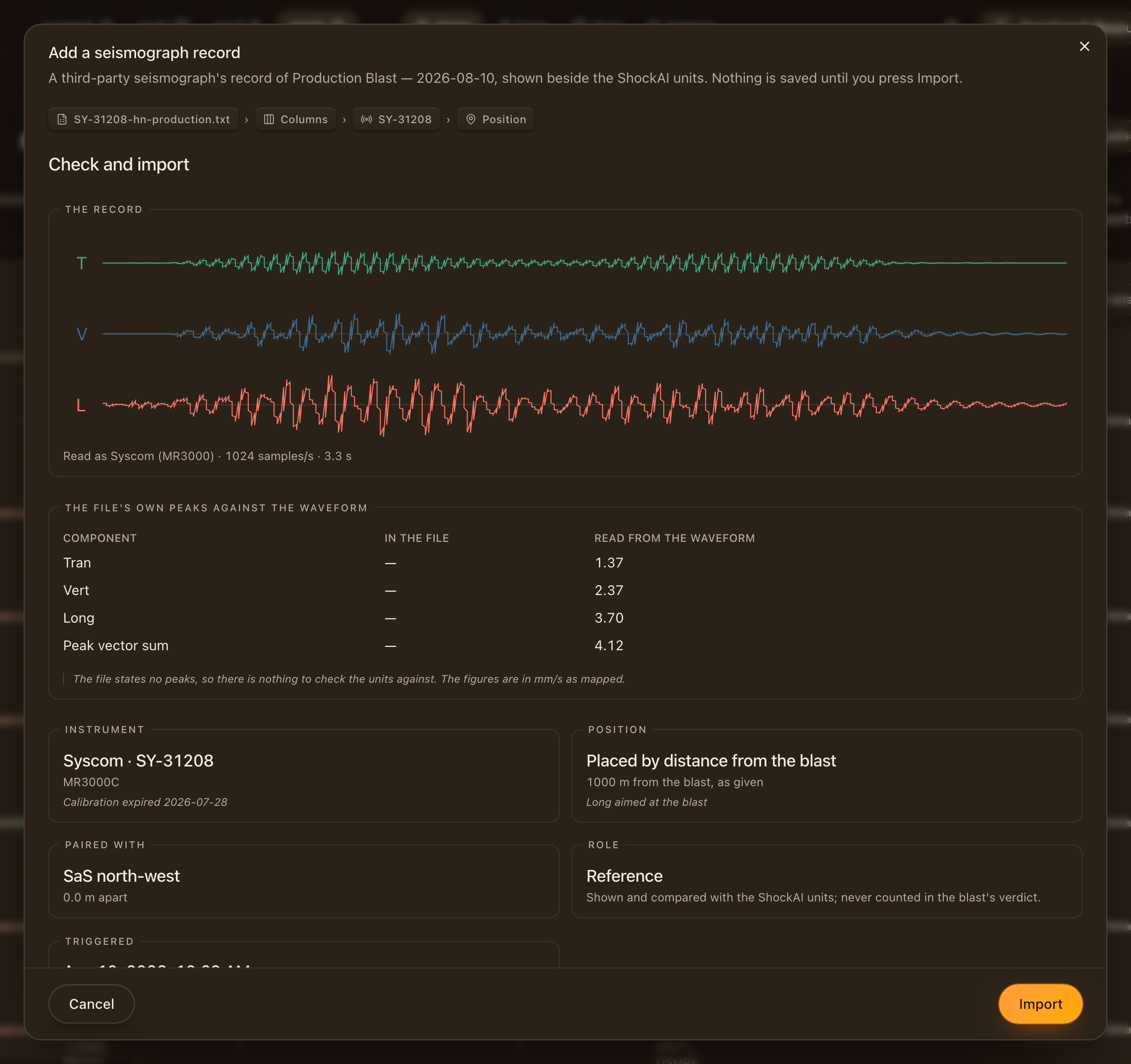
Check and import draws the record as it was read, with its sample rate and length, and lists every answer: the instrument and its calibration, the position, the pair, the role, and when it triggered.
Where the file prints its own peaks, The file's own peaks against the waveform puts them beside the peaks read from the samples:
- They match: the columns and units are right.
- The waveform reads a unit's factor times the file's peaks, such as 25.4 between inches and millimetres per second: the samples were read in the wrong unit. Read as fixes it in one click.
- They differ, but not by a unit's factor: check that the columns are the right channels, and that this is the same event as the printed peaks.
- The file states no peaks: there is nothing to check the units against, so look at the traces before you import.
Triggered is the instrument's clock, read in the project's time zone. A seismograph's clock is often out; the pairing corrects that from the waveforms.
Import saves the record, remembers the instrument and the location, and scores the record against the project's limits.
After Import
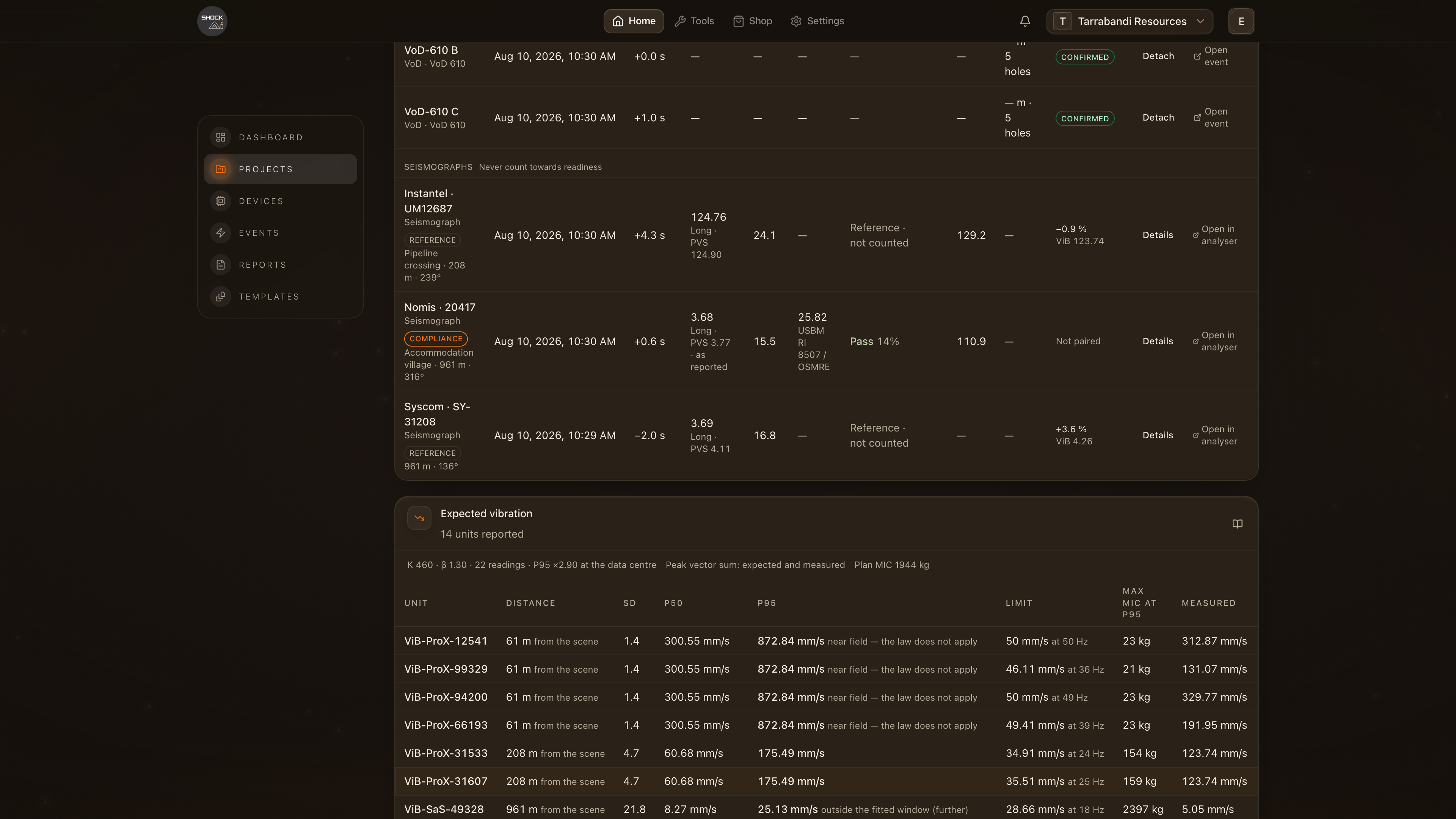
The record appears on the blast at once and says Scoring… until its score is in, usually within seconds. Scoring runs the waveform through the same analysis as your units, then lines the record up with its pair. The blast report picks it up in its next version.
Instruments used before
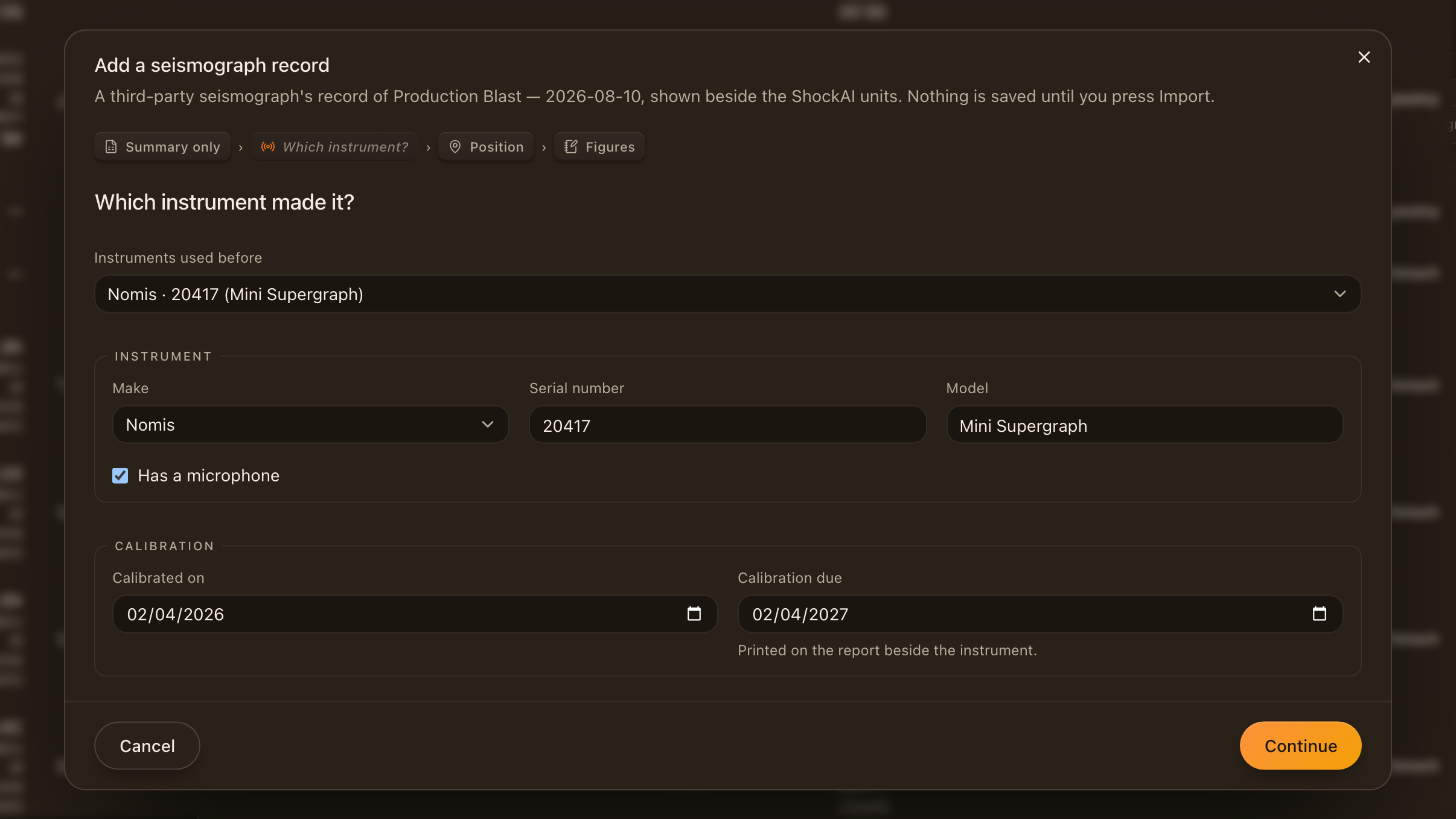
The next record from an instrument you have used starts from Instruments used before: pick it, and its make, serial, model, microphone and calibration dates are filled in. A file whose serial matches a remembered instrument picks it for you. Update the calibration dates here when the instrument has been recalibrated.
Summary only
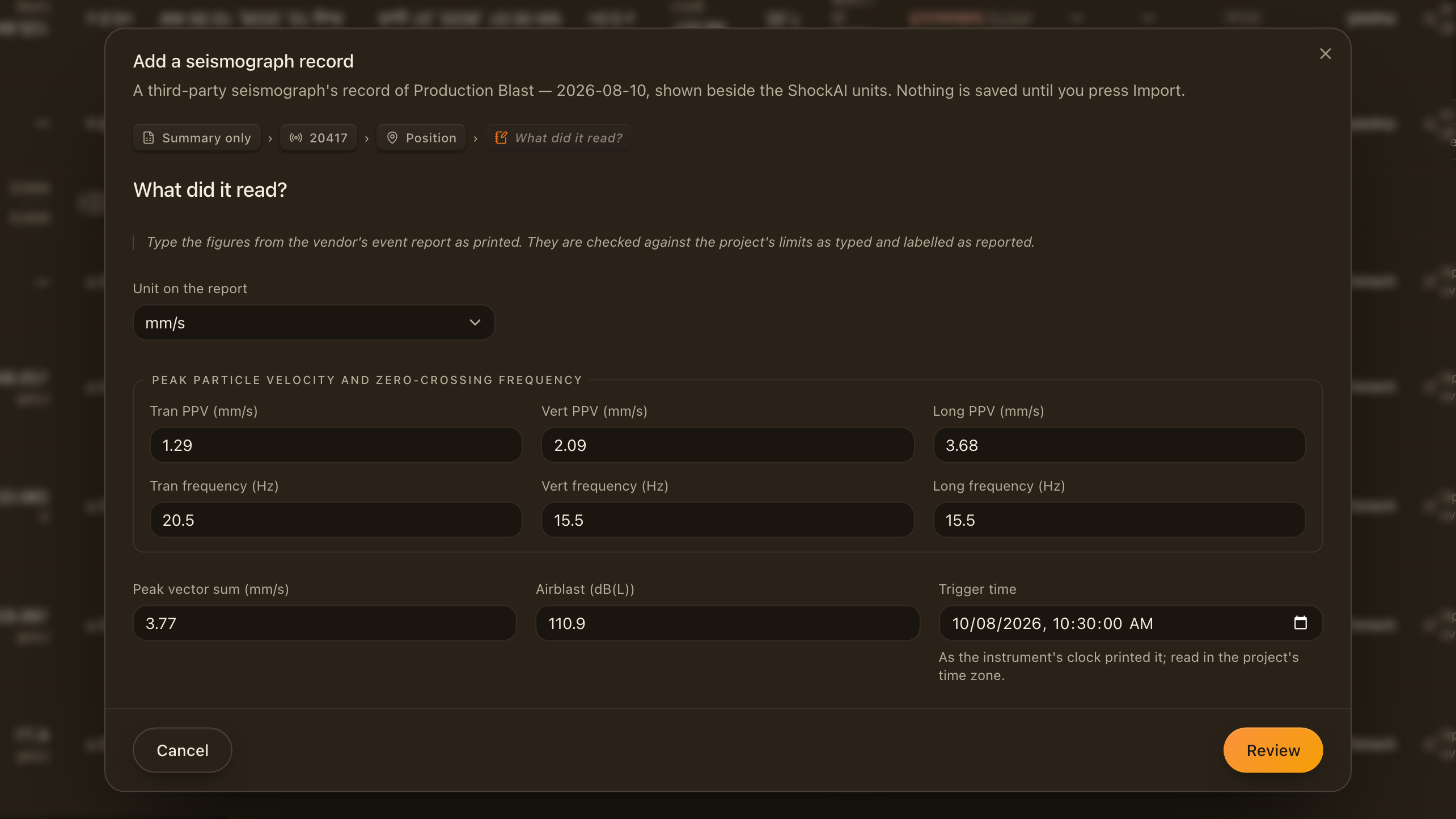
When all you have is the vendor's printed event report, choose Summary only on the first screen. The walk asks for the instrument and the place as usual, then What did it read?:
- Unit on the report: mm/s or in/s, as printed.
- Peak particle velocity and zero-crossing frequency for Tran, Vert and Long.
- Peak vector sum, Airblast in dB(L), and Trigger time as the instrument's clock printed it.
The figures are judged against the project's limits exactly as typed and labelled as reported wherever they appear. A summary record has no waveform, so it cannot be laid over a unit in the analyser, and a waveform export imported later is better evidence: attach it with Edit when you have it.
From the analyser
In the ViB Analyser, Compare with… ends with Import a seismograph record…. It opens the same walk on the event's blast, with the event already chosen as the pair.
Editing a record
Edit, on the record's sheet, reopens the walk on everything the record was saved with. Change what you need and press Save. The export stays as it was imported unless you drop a new one to replace it; the record is scored again only when its file or its columns change, so correcting a location or a calibration date keeps the score.