
Seismograph records on the blast page
Where a blast's seismograph records sit, what each row says, and the record sheet: the two sets of figures, the instrument, the pairing, the role and the actions.
A blast's seismograph records sit on its page, in Results, under the ShockAI units that recorded the same shot. Each has a sheet of details behind it.
The Seismographs rows
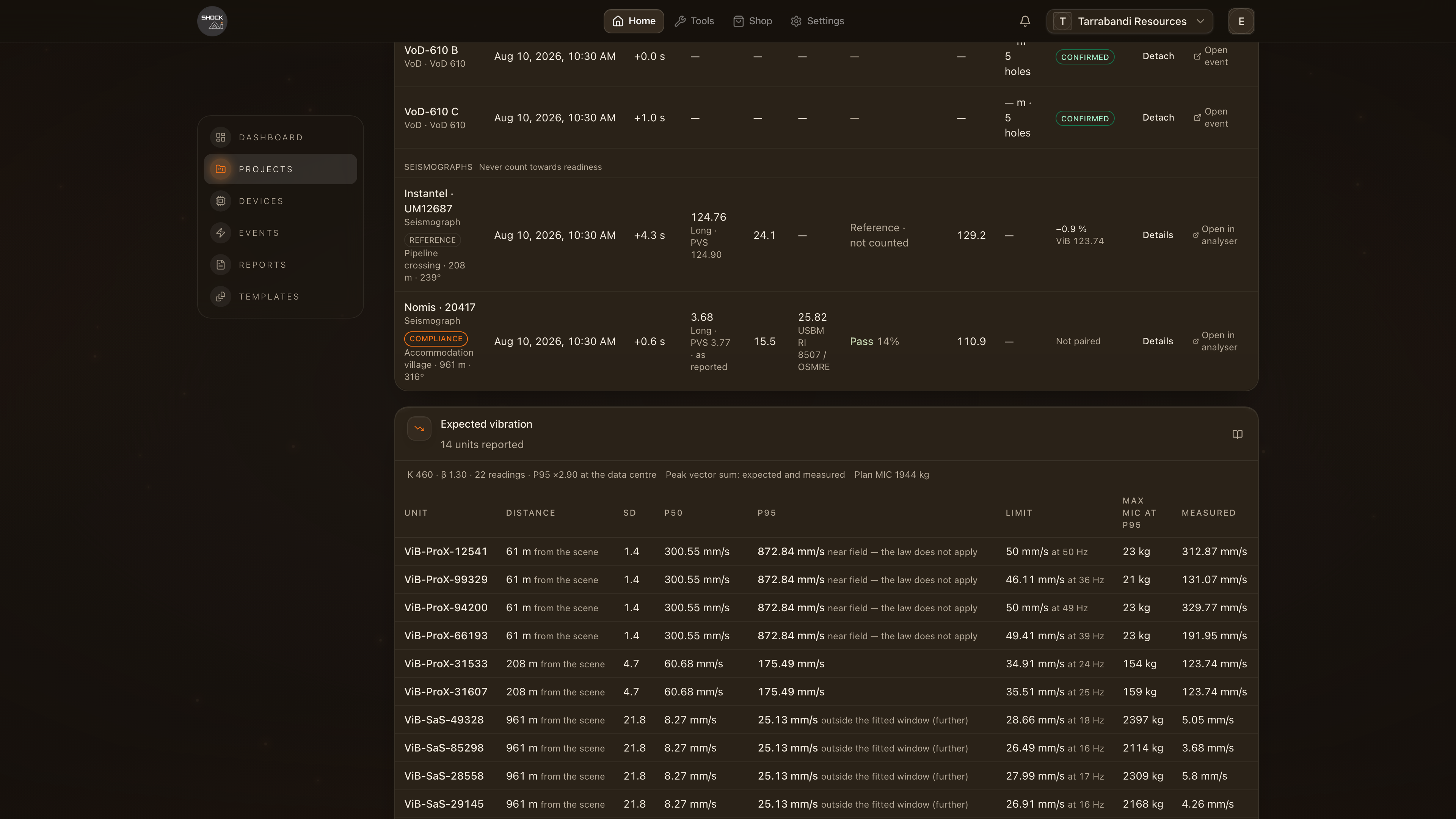
Under the units, Seismographs starts a group of rows, one per record, headed Never count towards readiness. Each row gives:
- The instrument, named by make and serial, with its role (Reference or Compliance) and where it stood: the location, the distance to the nearest charge and the bearing.
- Trigger and Offset: when it triggered, by its own clock, and how far that sits from the blast's firing time. A seismograph's clock is often seconds out; the analyser lines the records up from their waveforms instead (see One clock).
- PPV and Freq: the largest component peak with the component it came from, the peak vector sum, and the frequency. A summary record's figures say as reported.
- Limit and Verdict for a compliance instrument, scored like a monitor. A reference says Reference · not counted.
- Mic: the airblast, when the instrument has a microphone.
- The pairing: for a paired record, how far the ShockAI unit beside it reads from the seismograph in peak vector sum, as a share of the seismograph's figure, with the unit's own figure under it, marked ViB. The seismograph's is under PPV. An unpaired record says Not paired.
Click a record's name, or Details at the end of its row, to open its sheet. Open in analyser, beside Details, opens the paired event with the record already laid over it (or, for a record with no pair, the record's own page).
While a new record is being scored its row says Scoring…. A record that could not be scored says Scoring failed, with Retry.
The record sheet
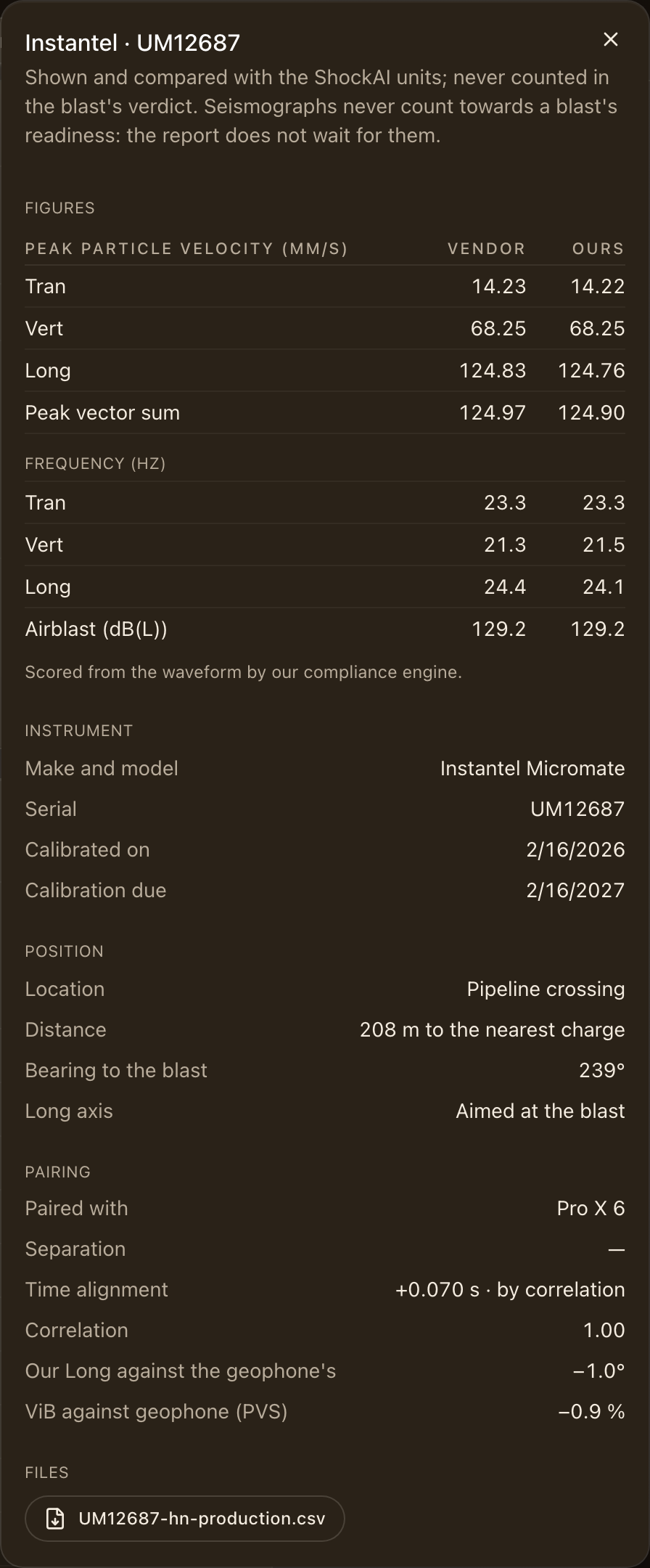
The sheet opens with what the record is and whether it counts, then:
- Figures: peak particle velocity per component and the peak vector sum, the frequency per component, and the airblast, with the vendor's printed figure (Vendor) beside ours (Ours). The line under them says how the record was scored: from the waveform, or from the vendor's figures as reported.
- Instrument: make and model, serial, and the calibration dates. A calibration that had expired when the blast fired is marked expired.
- Position: the location, the distance to the nearest charge and how it was worked out, the bearing to the blast, and which way the Long axis pointed.
The pairing
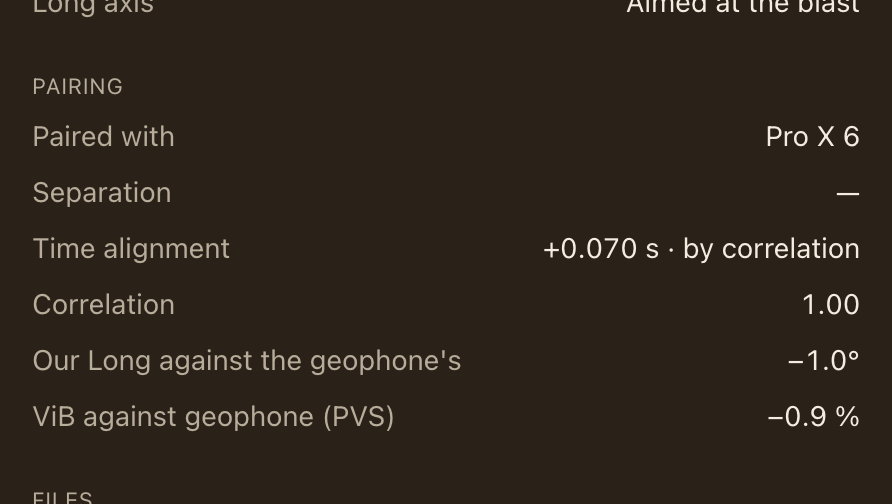
For a paired record the sheet says:
- Paired with and Separation: the ShockAI unit beside it, and how far apart the two stood when that was measured.
- Time alignment: the shift that lines the seismograph's record up with the unit's, and how it was found: by correlation of the two waveforms, by the clocks when the waveforms could not be matched, or set by hand. Correlation scores the match; 1.00 is two records of the same motion.
- Our Long against the geophone's: for a geophone whose Long axis was aimed at the blast, beside a unit whose own record has been turned into Tran, Vert and Long, how many degrees apart the two Long axes sit. It is worked out from the two waveforms alone, with no compass, so a figure within a few degrees is independent evidence that the unit's frame was resolved correctly. See Frames and orientation.
- ViB against geophone (PVS): the unit's peak vector sum against the seismograph's, as a share of the seismograph's figure.
Files, role and actions
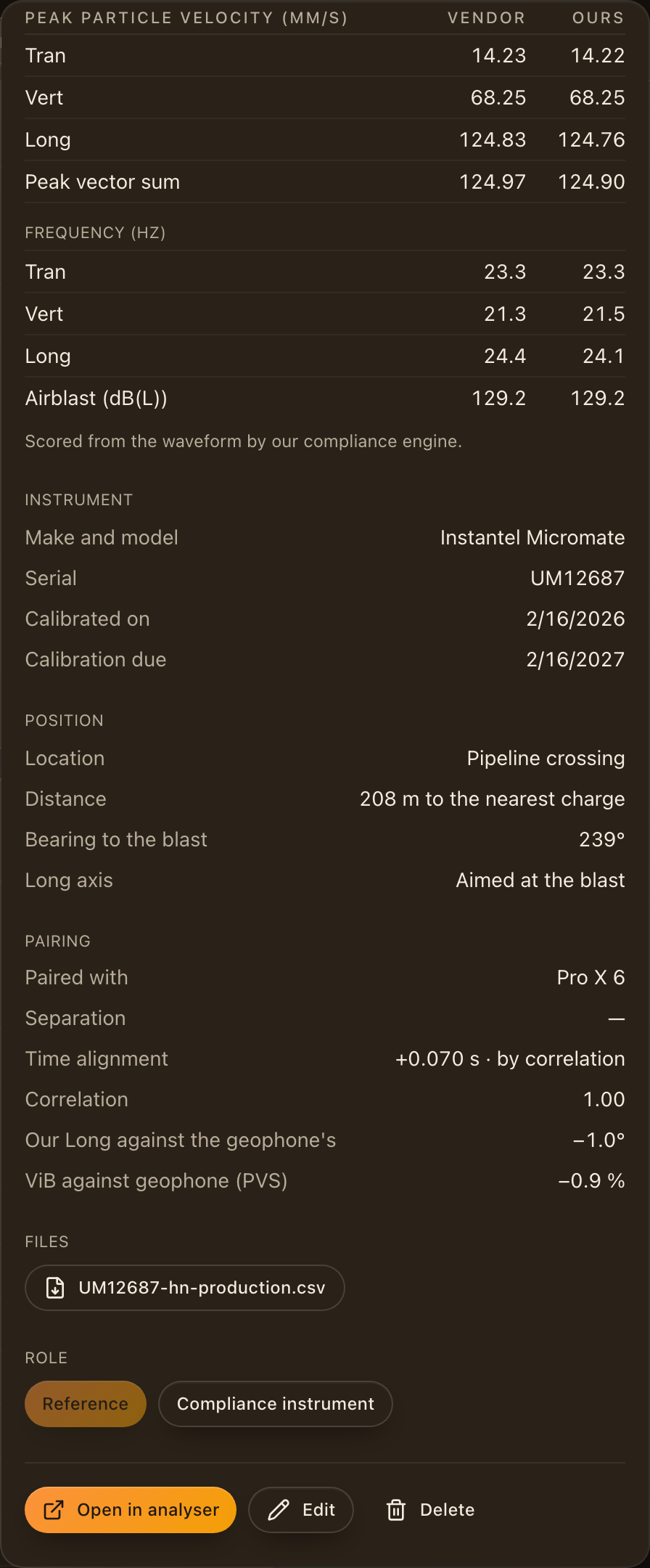
At the foot of the sheet:
- Files: the export the record was read from and, when one was attached, the vendor's PDF event report, each exactly as it was imported.
- Role: switch between Reference and Compliance instrument here, without reopening the walk.
- Open in analyser compares the record with its paired unit. Edit reopens the import walk on the saved answers (see Editing a record). Delete removes the record, its files and its scores from the blast; the instrument and the location stay remembered.
Role, Edit and Delete are there for people who can edit the project. Everyone who can see the blast can read the sheet.
Reference or compliance instrument
A Reference record is compared and printed, and never counts towards the blast's verdict: use it to check your units against an instrument you trust, or to keep the client's record with the blast. A Compliance instrument is judged against the project's limits exactly like a ShockAI monitor, and its verdict counts in the blast's headline, on the blast page and in the report. Use it when the seismograph is the instrument of record for a location.
Either way, a seismograph never counts towards a blast's readiness: the preliminary report renders when the ShockAI units have reported, and a record added later renders a new version.
Monitoring locations
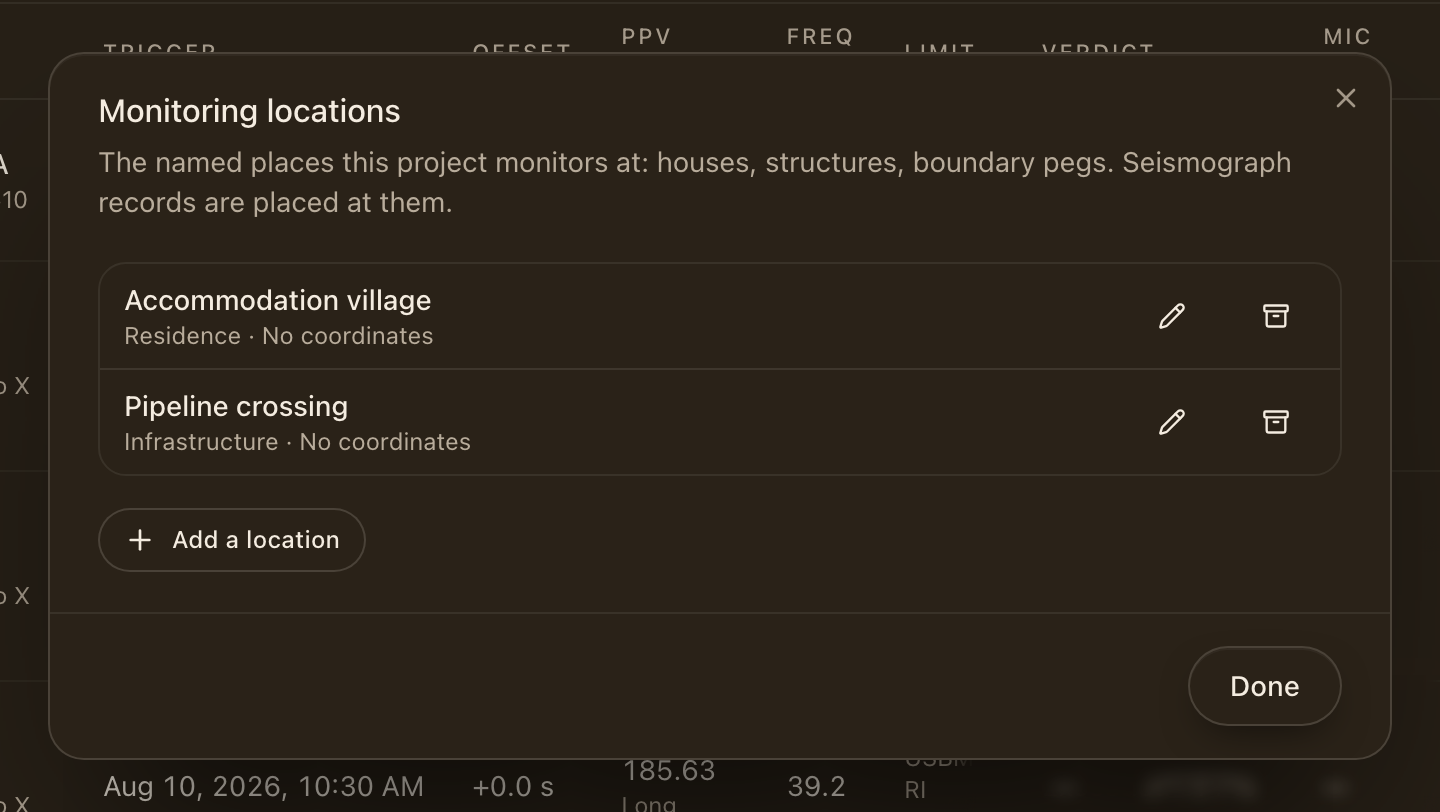
Locations, beside Add seismograph record, lists the named places the project monitors at: a house, a structure, a boundary peg, a piece of infrastructure. Each has a kind, optional coordinates and notes. A record placed at a location takes its coordinates when it has them, so its distance to the charges is measured rather than typed. Archive takes a place off the list for new records; the records already made there keep it.
A record with no pair
A record with no ShockAI unit beside it opens on its own page from Open in analyser: its three traces over time, its figures, and its instrument and position. A summary record has no waveform to draw, so its page says so and shows the figures.