
Playing the blast
Replay the blast along its timeline: holes flash as they fire, the front runs down each recorded column, and the monitors pulse as the ground motion reaches them.
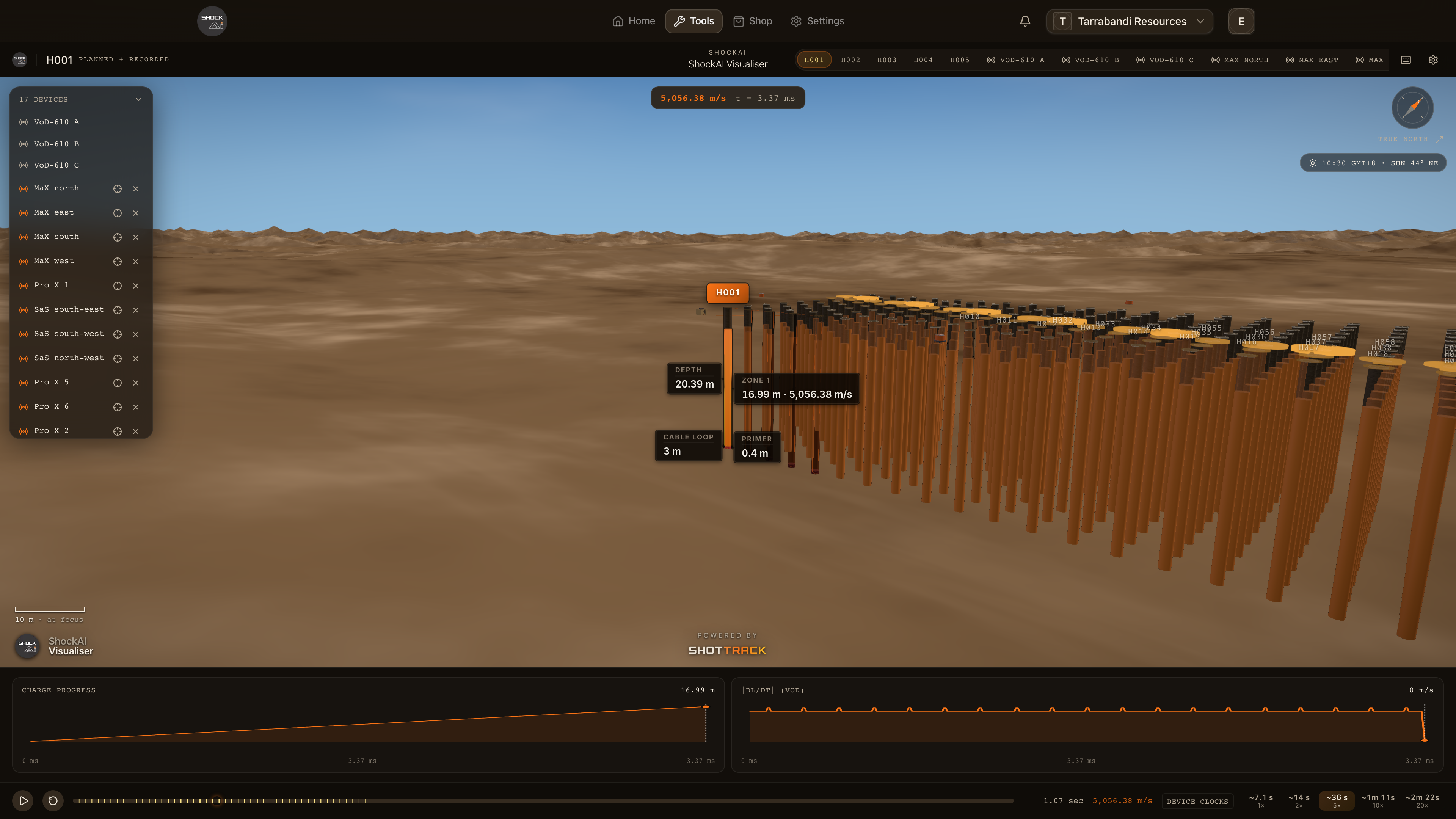
The controls along the bottom replay the blast. Holes flash as they fire, the detonation front runs down each recorded column, and placed monitors pulse as the ground motion reaches them. Press Space to play.
Play, step and jump
- Space, or the play button, plays and pauses. At the end it starts again from the beginning, and Restart does so at any time.
- ← and → step back and forward 5 % of the timeline, 20 % with
Shift. Home and End jump to the start and the end. - Drag the scrubber to any moment. Stepping, jumping or scrubbing pauses the replay.
If your computer is set to reduce motion, the replay does not run on its own. Step and scrub through it instead.
Speed
The speed buttons stretch the blast so it can be followed. Each one says how long a full replay takes on your screen, from about eight seconds to two minutes, with the stretch factor under it. Hover a button for the recorded duration against the replay's.
What moves with it
- Charts: above the controls, Charge progress and |dL/dt| (VoD) follow the replay for the recorder in view, when its trace is loaded.
- The VoD at the front: at the top of the scene, while the front is moving.
- Marks on the scrubber: when each hole fires. With the charge-per-delay layer on (M), the heaviest windows too; with the det log on (L), the actual firing times and any misfires.
- The clock chip: when monitors are placed, it says how their clocks were lined up with the recorder's: GNSS time marks, Device clocks or Triggers aligned.
The propagation demo
Press B for the blast propagation demo: pressure shells drawn down the focused recorded column, each starting as the front reaches its depth. It is there for illustration, not as a model of the rock, and it hides while a unit is focused.