Site and conditions
The ground the scene stands on, the sun as it was at the firing time, and every setting the Visualiser has.
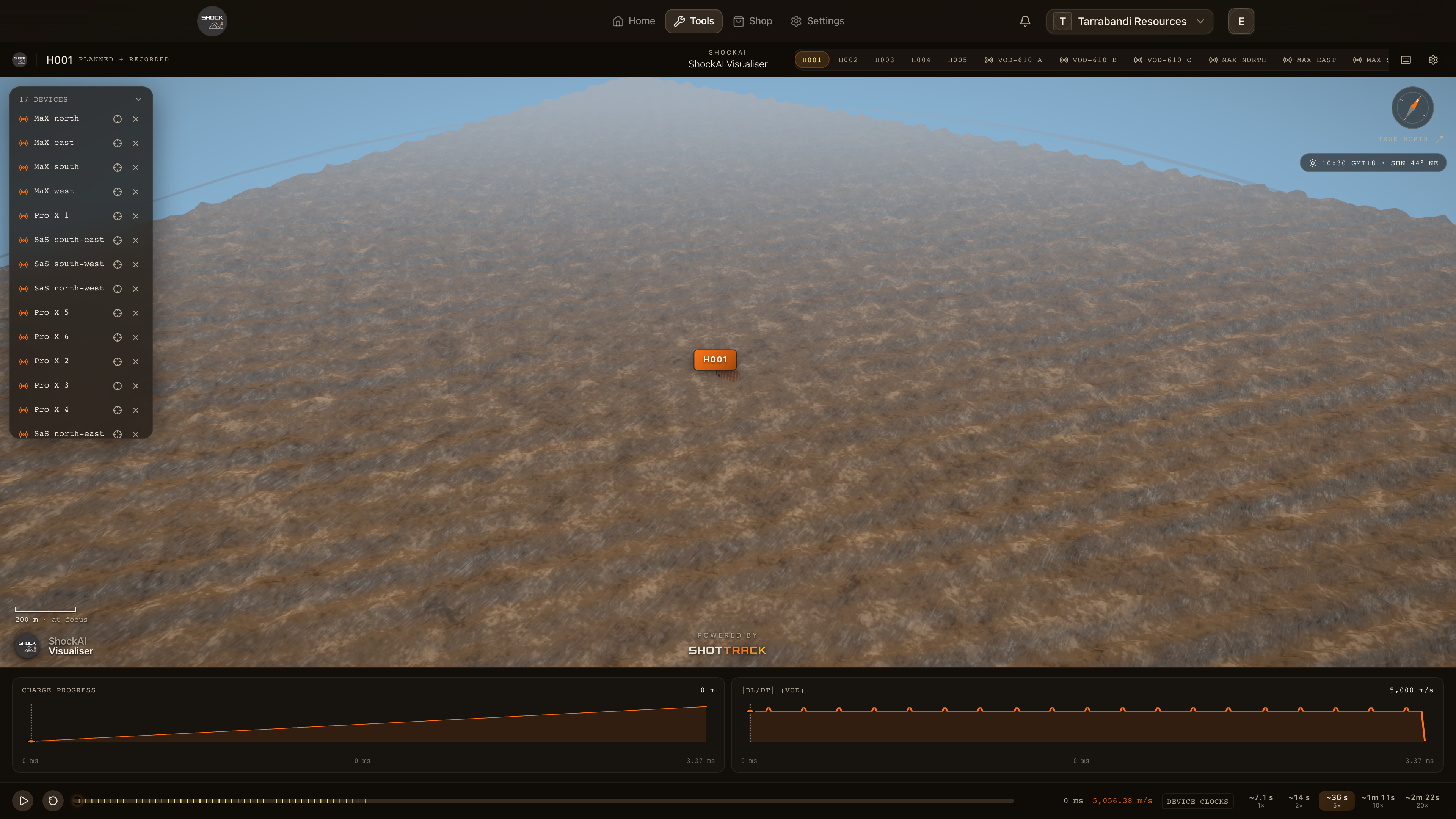
The scene stands on the ground the site was surveyed as, lit by the sun as it was when the blast fired. The chip under the compass gives the time and the sun, and the settings, behind the gear in the title bar, hold everything else.
The ground
The scene stands on the blast's pinned site scan or, when none is pinned, on the newest processed scan captured before the blast fired. A blast without a surveyed frame, or with no scan to stand on, gets generated ground instead.
The sun
Under the compass, the conditions chip gives the local time of the blast and where the sun stood: its height and its bearing, worked out from the firing time and the site's position. Hover it to see where those came from. A blast fired at night is lit as at dusk. When the site's position or the firing time is not known, the chip says Cinematic light, and says why.
Under Lighting in the settings, choose Real sun for that sun, or Cinematic for a steady afternoon light whatever the time.
Settings
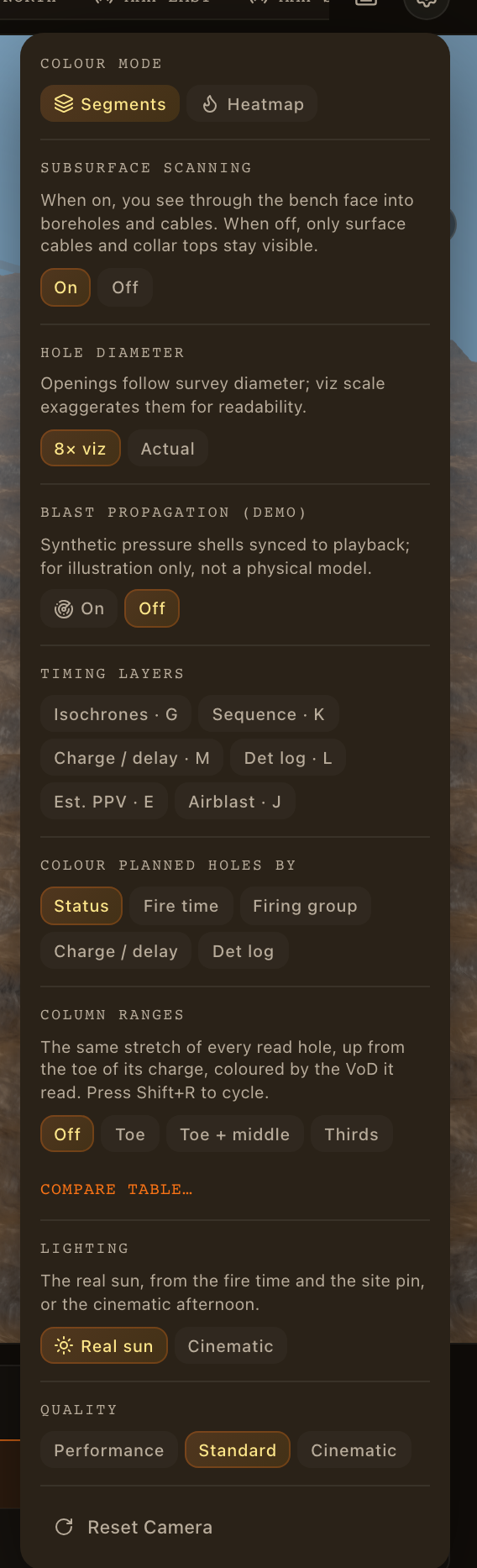
The gear at the right of the title bar opens the settings, section by section:
| Section | What it sets |
|---|---|
| Colour Mode | Segments or Heatmap for the recorded columns |
| Subsurface scanning | See through the bench, or only the surface |
| Hole diameter | 8× viz for reading at a distance, or Actual |
| Blast propagation (demo) | The illustrative pressure shells |
| Timing layers | The six layers, when the plan has firing times |
| Colour planned holes by | What colours the planned holes |
| Column ranges | The ranges showing, and Compare table… |
| Section view | The slab through a ring, underground only |
| Lighting | Real sun or Cinematic |
| Quality | Performance, Standard or Cinematic rendering |
Reset Camera at the foot frames what is focused, as F does. Quality starts at Standard each time the Visualiser opens: lower it on a slow machine.