Timing layers
Lay the blast's timing on the ground: when each hole fired, the firing order, the charge per delay, the det log against the plan, and the estimated ground vibration and airblast.
When the plan gives each hole a firing time, the Visualiser can lay the timing on the ground. Six keys switch the layers: G, K, M, L, E and J. C changes what colours the planned holes.
The layers
| Key | Layer | What it shows |
|---|---|---|
| G | Isochrones | Contours of firing time on the ground, spaced to suit the gap between holes. The fired area lights up as the blast plays. |
| K | Sequence | The firing order as a line through the collars, coloured by time, with a head that moves as the blast plays |
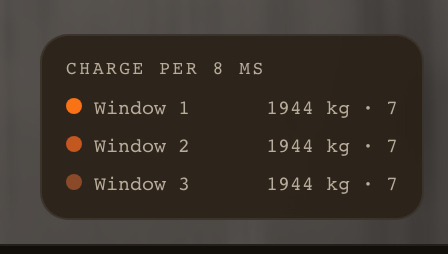
| M | Charge / delay | The charge that fired within each 8 ms window, with the heaviest windows ranked in the legend and marked on the scrubber |
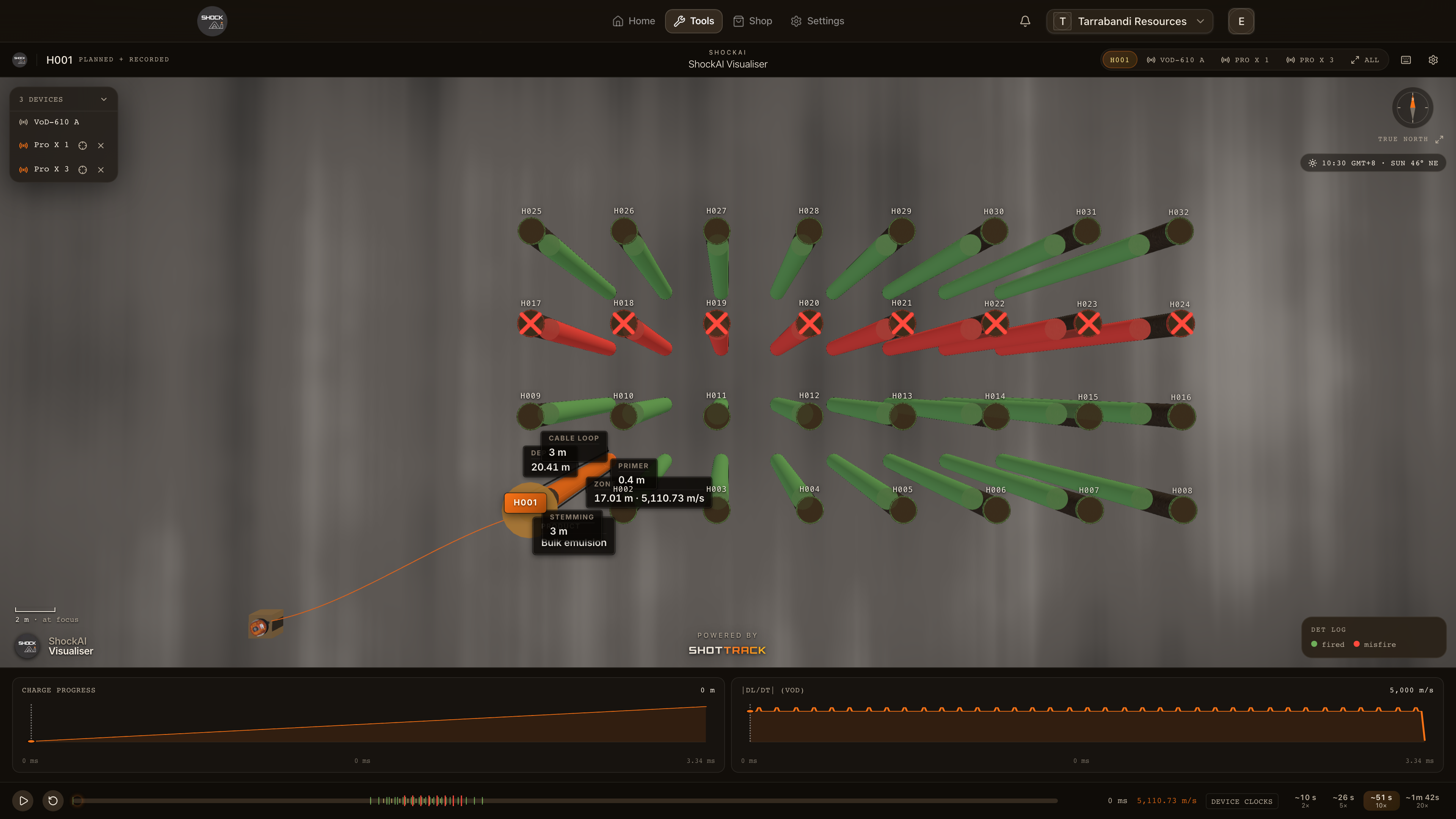
| L | Det log | The detonator log against the plan: holes flash at their actual times, and a misfire is crossed out in red |
| E | Est. PPV | Estimated ground vibration around the blast, from its heaviest charge window |
| J | Airblast | Rings travelling at the speed of sound from the heaviest charge window and from the selected hole |
The same layers are pills under Timing layers in the settings. Isochrones, the PPV estimate and airblast are drawn for surface blasts. The isochrones need three holes or more.
The PPV estimate uses the project's fitted site law when it has one, and default site constants when it does not. The legend says which.
Colour the planned holes
Press C to change what colours the planned holes, or choose under Colour planned holes by in the settings:
- Status: planned holes in their usual colour, and up-holes in blue.
- Fire time: blue through red, first to last.
- Firing group: a colour per group.
- Charge / delay: the heaviest windows picked out.
- Det log: green where the hole fired, red where it did not, and grey where the log has no entry.
The recorded columns keep their own colours, set by Colour Mode.
The legend
With a layer on, the timing legend at the bottom right explains it:
- Fire time: the first time, the step and the last.
- Charge per 8 ms: the heaviest windows, each with its charge and hole count, and a note when they differ from the plan's own figure.
- Estimated PPV: which law the estimate uses.
- Det log: the fired and misfire colours.
Reading the det log
The det log is the firing system's record of when each detonator actually fired. With it on, the replay fires each hole at its logged time instead of its planned one, and a hole that never fired is crossed out.