Moving around
Orbit, pan and move in and out of the scene, return to the views you know, and read the compass and the scale bar.
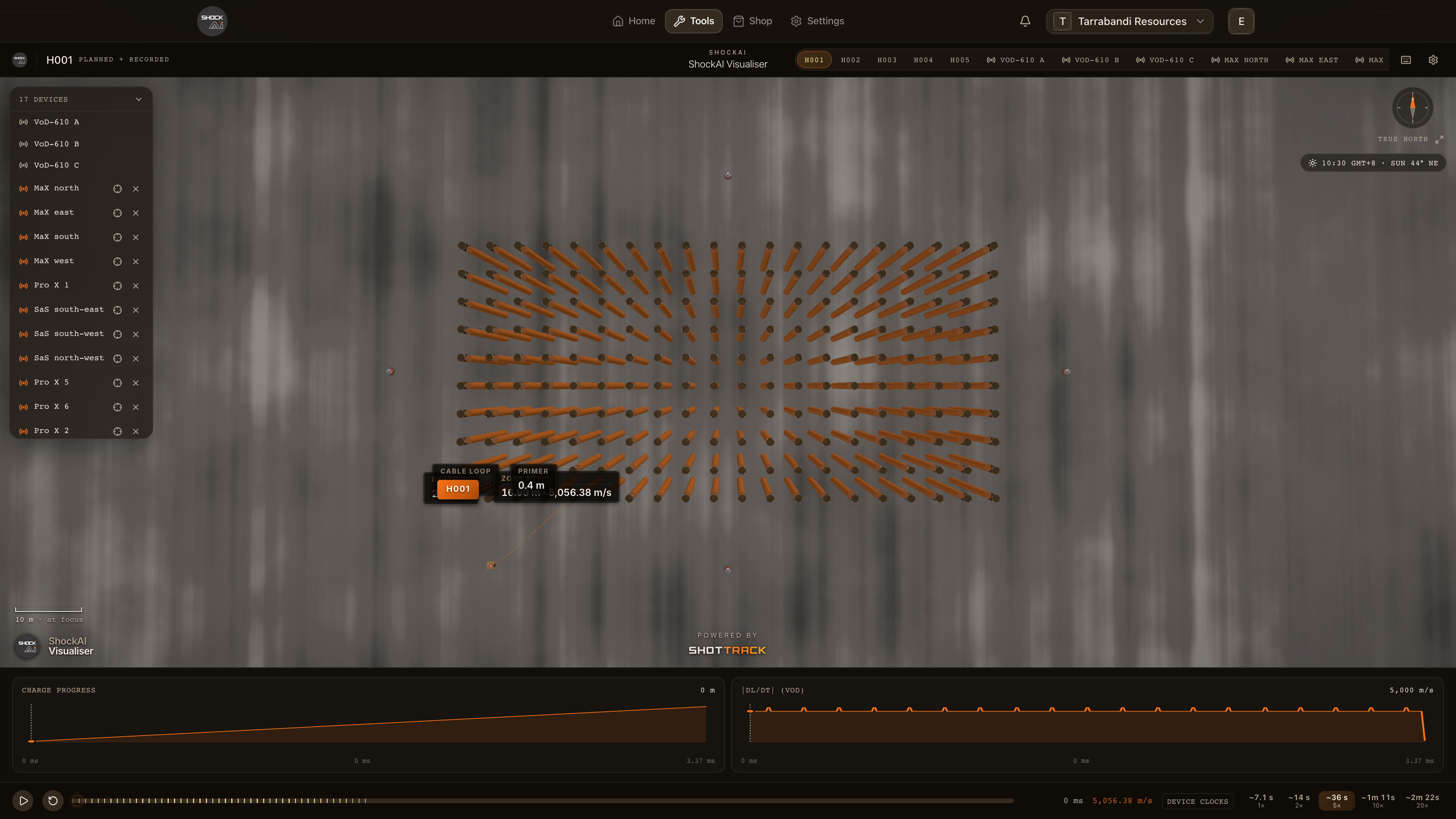
The scene moves like a map you can tilt: drag to orbit, right-drag to pan, and scroll to move in and out. Three keys put the camera back somewhere you know. 0 frames the whole site, N turns to a plan view with north at the top, and F returns to what you have focused.
0:46
Orbit, pan and move in
| Move | Mouse or trackpad | Keys |
|---|---|---|
| Orbit | Drag | , and . orbit, < and > tilt |
| Pan | Right-drag, or three fingers | Alt + the arrow keys |
| Move in and out | Scroll, pinch or middle-drag | - and = |
Scrolling moves towards the pointer, so point at what you want to get closer to. On a touch screen, one finger orbits and two fingers move in and out.
Views you can come back to
- 0 frames the whole site: every hole, the recorders and the placed monitors, from a raised three-quarter view. All in the title bar and the button beside the compass do the same. Press it again to fit it afresh.
- N turns to a plan view of the whole site, straight down with north at the top, without changing what is focused. Clicking the compass does the same. Where the monitors stand far out, scroll or press = to bring the pattern up.
- F frames whatever is focused: a hole from beside it, a unit from the side away from the pattern, or the whole site. Reset Camera in the settings does the same.
Moving from one hole to a neighbour keeps the angle you chose. The camera only swings back to its own view when the next hole is far away.
The compass and the scale bar
- The compass, at the top right, turns with the camera. Its tooltip says whether it points to True north or Grid north, which follows how the blast was surveyed. A blast with no surveyed frame has no compass.
- The scale bar, at the bottom left, gives a round length at the focus, in steps of 1, 2 and 5 metres up to a kilometre. It hides while you look up from below the ground.