Holes and the charge column
Focus the recorder's holes and zones, see through the bench to the charge columns, colour them by what they measured, and read any hole of the plan in the inspector.
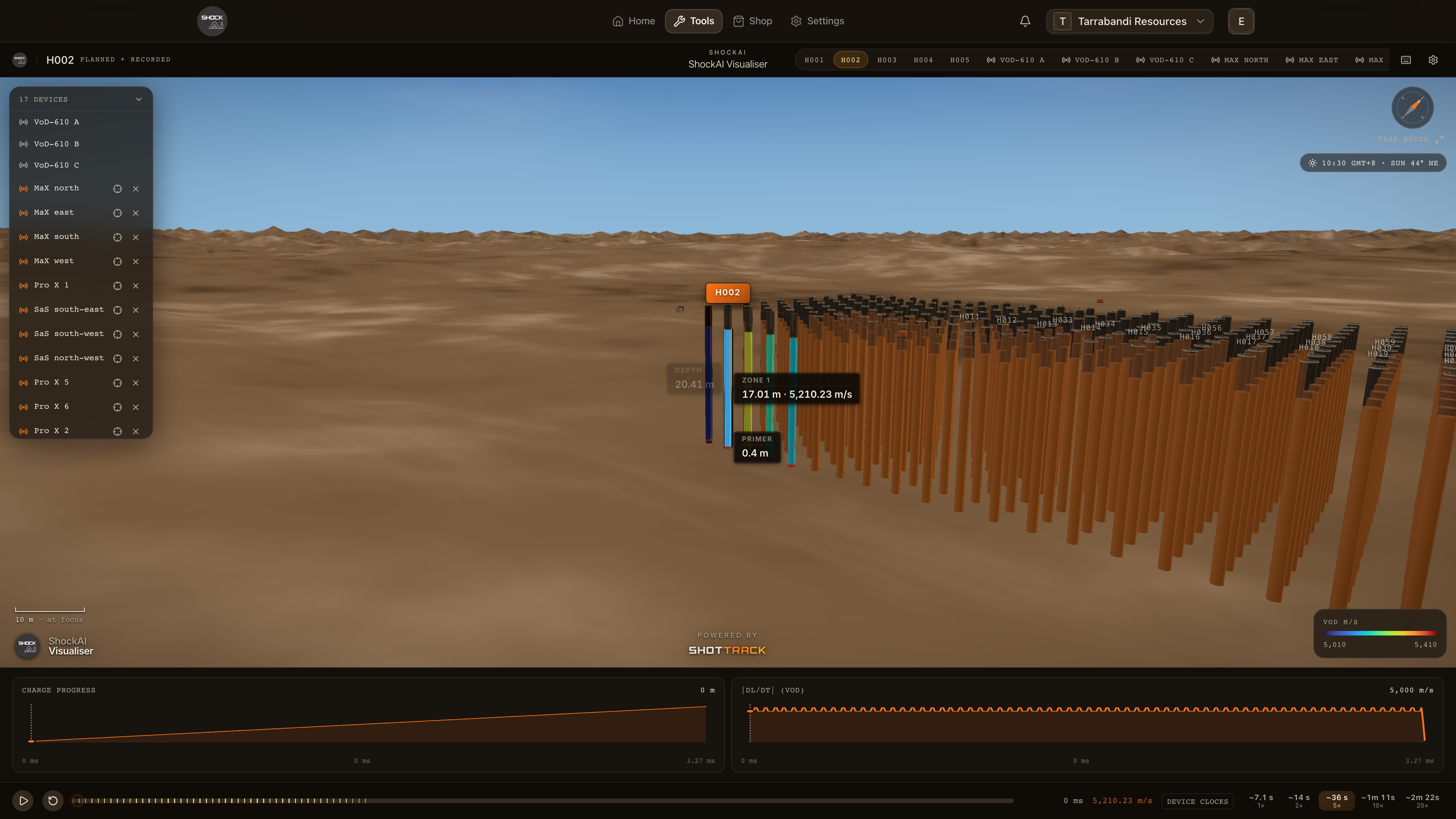
Every hole a recorder read is drawn as its column: the stemming, the charge, and the zones measured in it. The rest of the plan's holes stand around it as planned holes. Press 1 to 9 to focus the recorder's holes in firing order, and S to see through the bench to them.
Focus a hole
- Press 1 to 9 to focus the recorder's holes in firing order. Press the same digit again to step through that hole's zones, then back to the whole hole.
- Press
Q W R T Y U I O Pto jump to zones 1 to 9, as in the VoD Analyser. - Click a zone to focus it, or double-click a recorded hole to focus it and bring the camera round to it.
- The chips in the title bar focus the recorder's holes too, and the title bar names the hole in focus.
See inside the bench
- S switches subsurface scanning. On, the default, you see through the bench face to the boreholes, the charge columns and the cables. Off, only the surface cables and the collars stay in sight.
- V switches how wide the holes are drawn. By default they are drawn 8× wider than surveyed so they read from a distance. Press it for the surveyed diameter (150 mm when none was recorded).
Colour the columns
Open the settings (the gear in the title bar) and choose a Colour Mode:
- Segments, the default, draws each zone in orange and the primer in red.
- Heatmap colours each zone by its VoD, blue for slow through red for fast, and gives the moving front its instantaneous colour as the blast plays.
With Heatmap on, the legend at the bottom right gives the scale. It is fitted to the focused hole's zones, so the hole you are reading uses the whole range of colours.
Planned holes
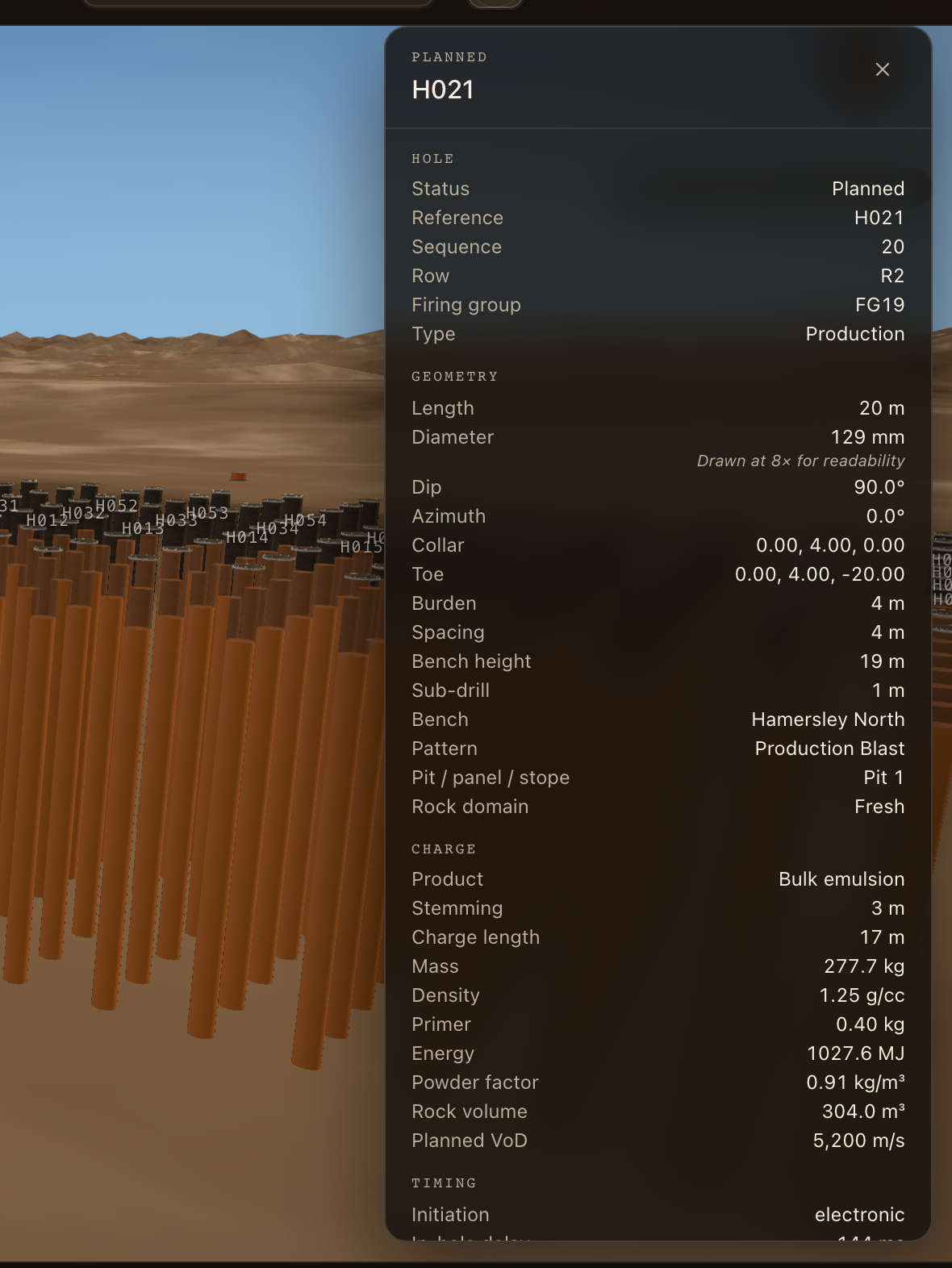
The plan's holes that no recorder read are drawn as planned holes. Press [ and ] to step through them in firing order, or click one. Focusing a planned hole frames its column, dims the recorded ones, draws its dimensions, and opens its inspector. Press Esc to go back to the recorded hole you were on.
The inspector
A planned hole's inspector opens with it. For a recorded hole, press Enter to show or hide it; it is there when the hole has a planned twin. It lists what the plan says, in sections:
- Hole: its status, reference, sequence, row and firing group.
- Geometry: length, diameter, dip and azimuth, collar and toe, burden and spacing.
- Charge: product, stemming, charge length, mass and planned VoD.
- Column ranges, while ranges are showing. See Comparing ranges.
- Timing: initiation, delays, when it fires, and the charge per delay.
- Predicted: distance to the monitor, PPV, airblast and fragmentation, when the plan carries them.